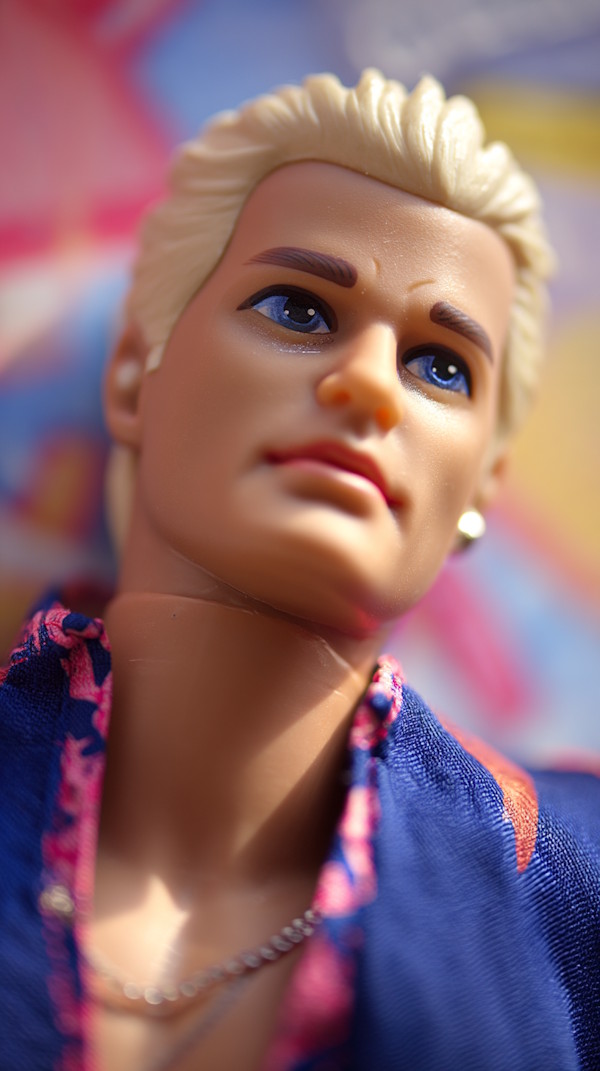
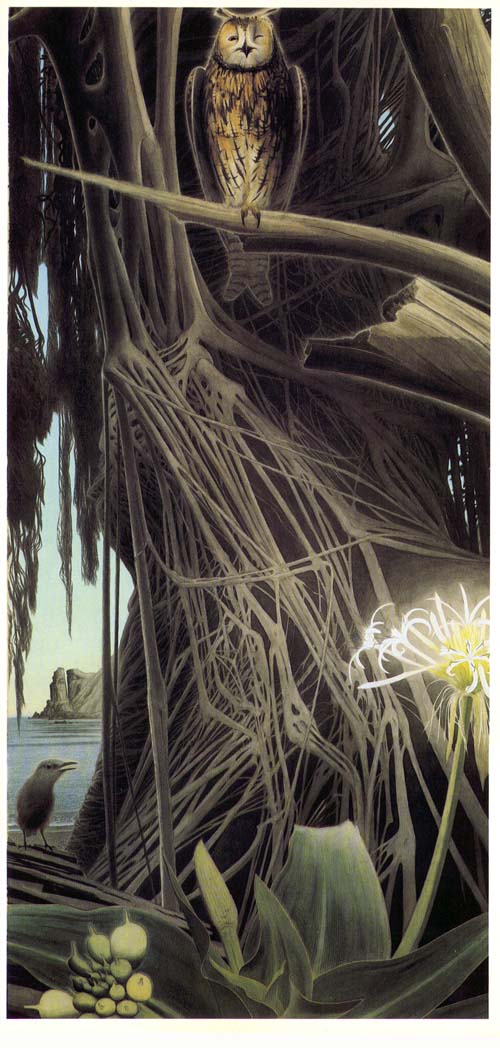
While I’m sharing the contents of my camera, let’s also throw in these fun pics from Italy:
Weird glass clown on TV. They had 75 channels dedicated to selling nonsense. This photo by Jacob Filipp is marked CC0 1.0Agostino Busti’s sculpture for the tomb of Gaston De Foix. Absolutely stunning work.Milan has these weird soft asphalt sidewalks. On hot days, any weight that’s resting on them will leave an indentation.
If she should ever If she should ever If she should ever darken your couch with her presence burn the sage and sulphur and never ever do look at your own shadow lest you never unlearn you are just as unbelonging in this place as her
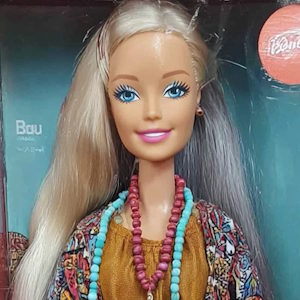
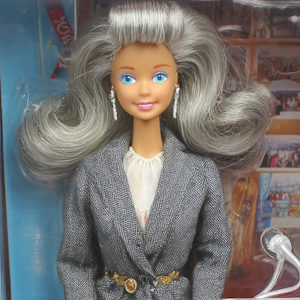
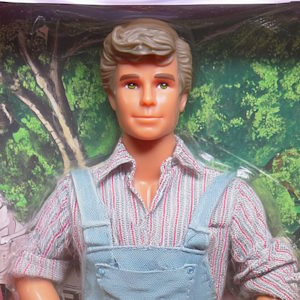
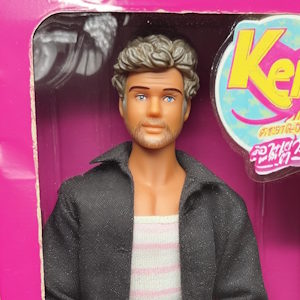
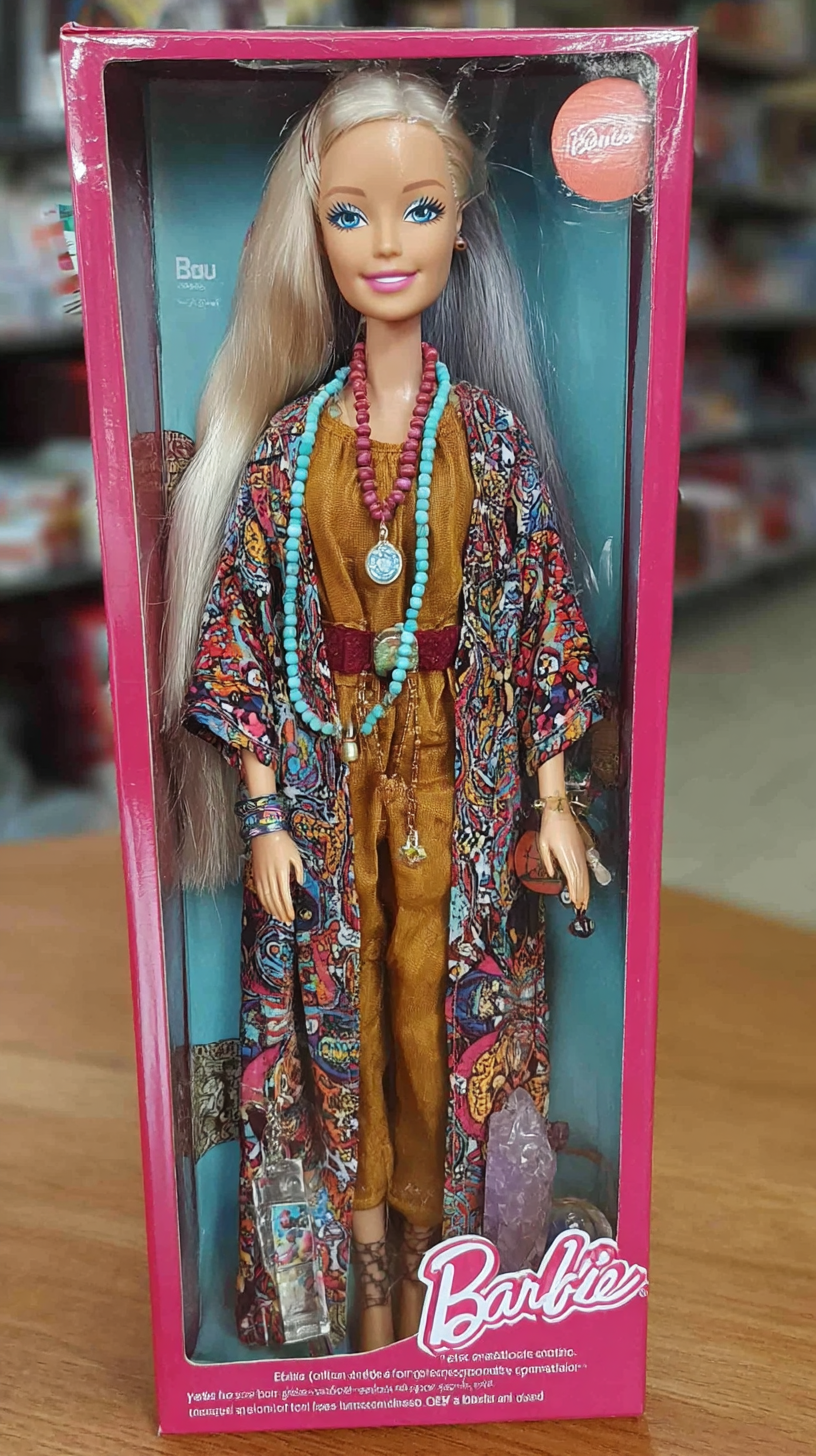
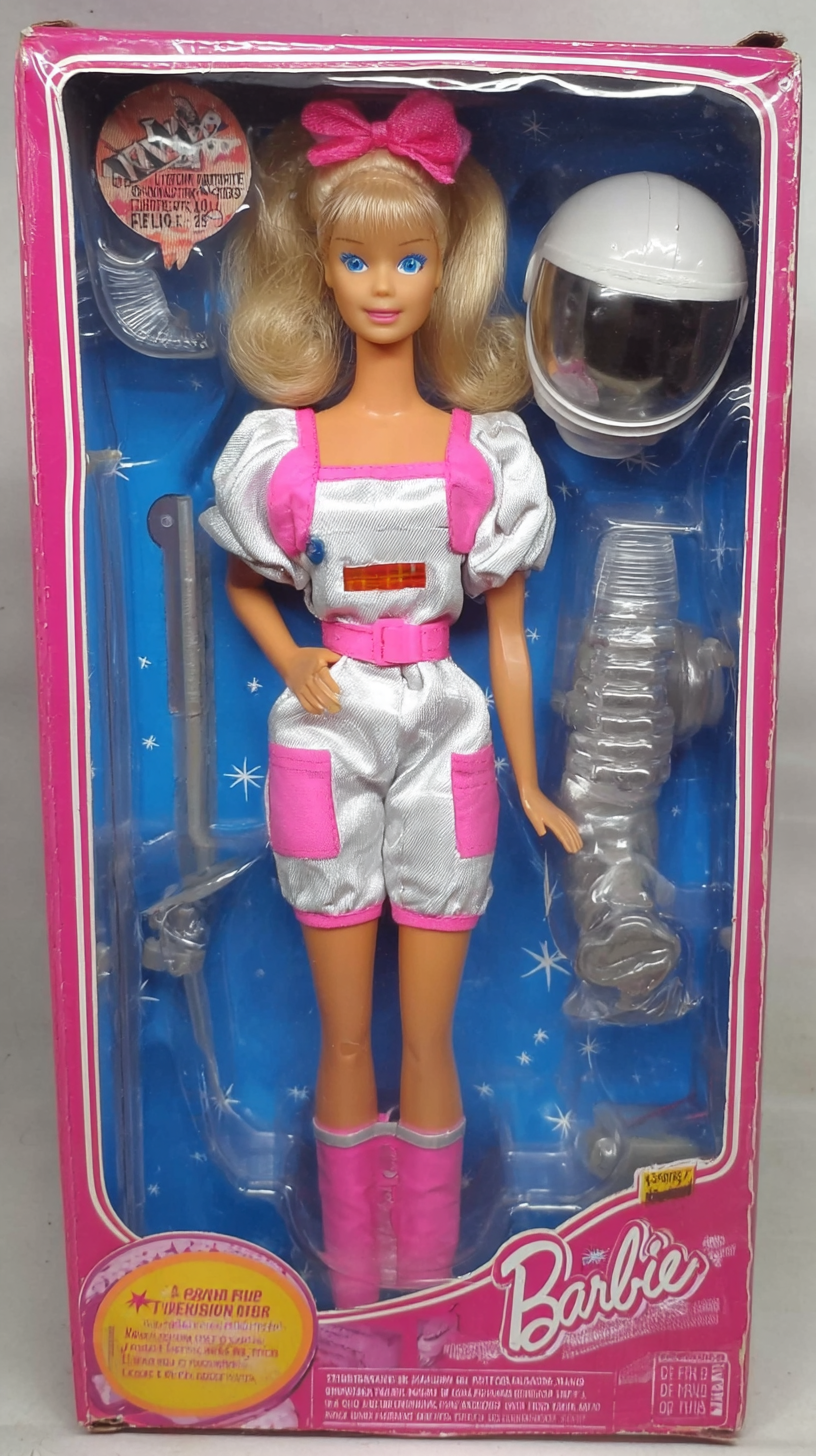
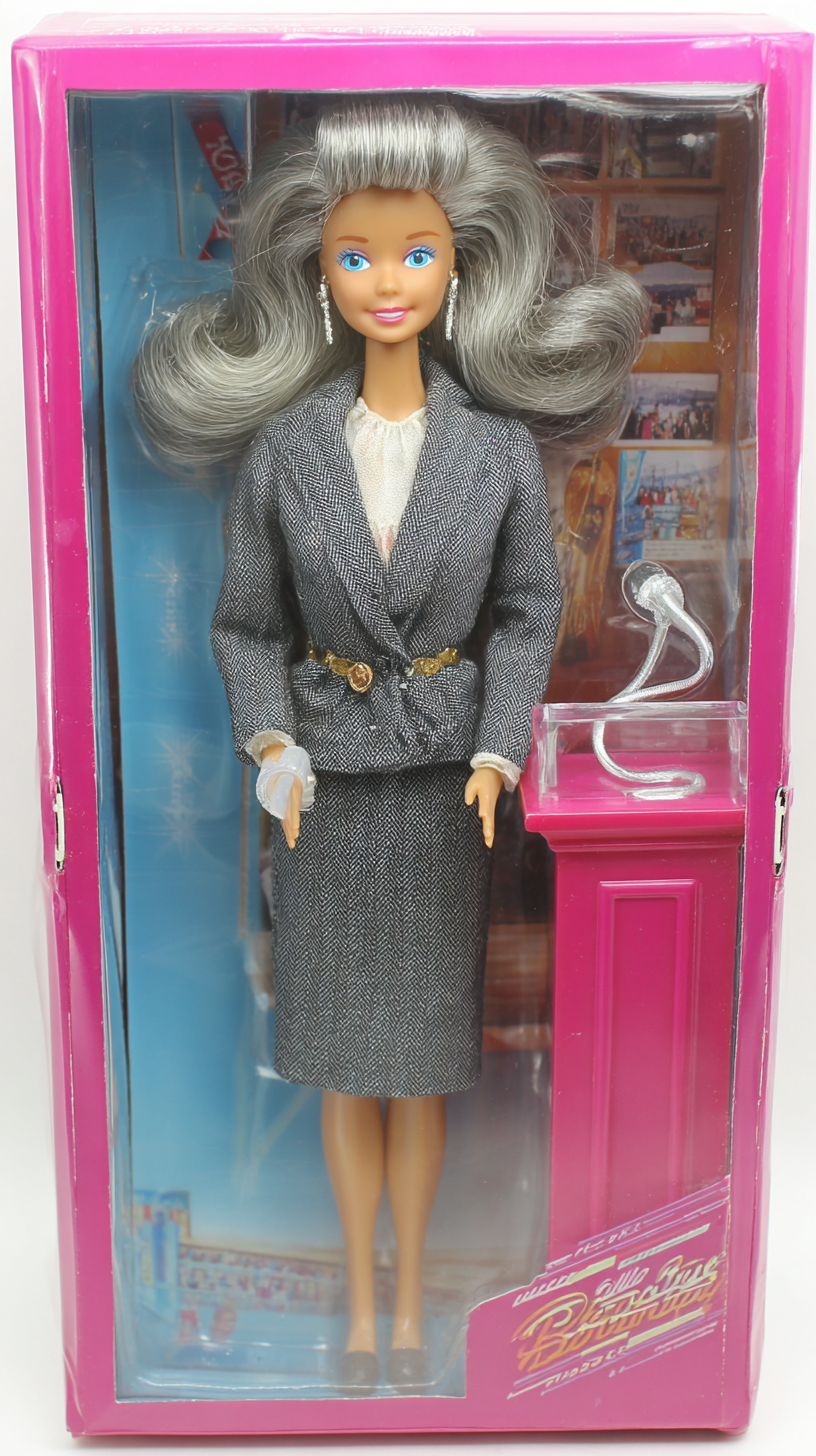
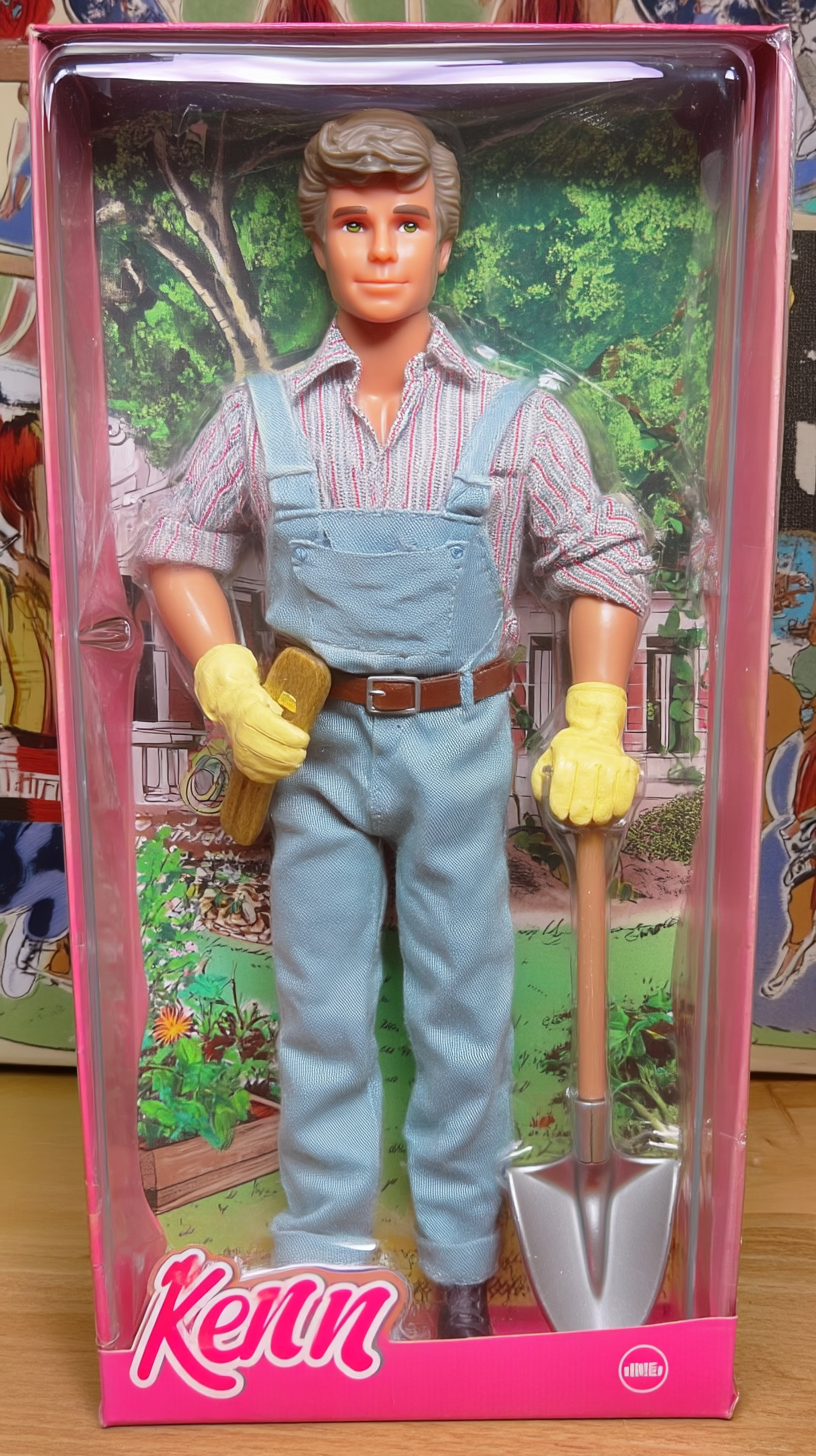
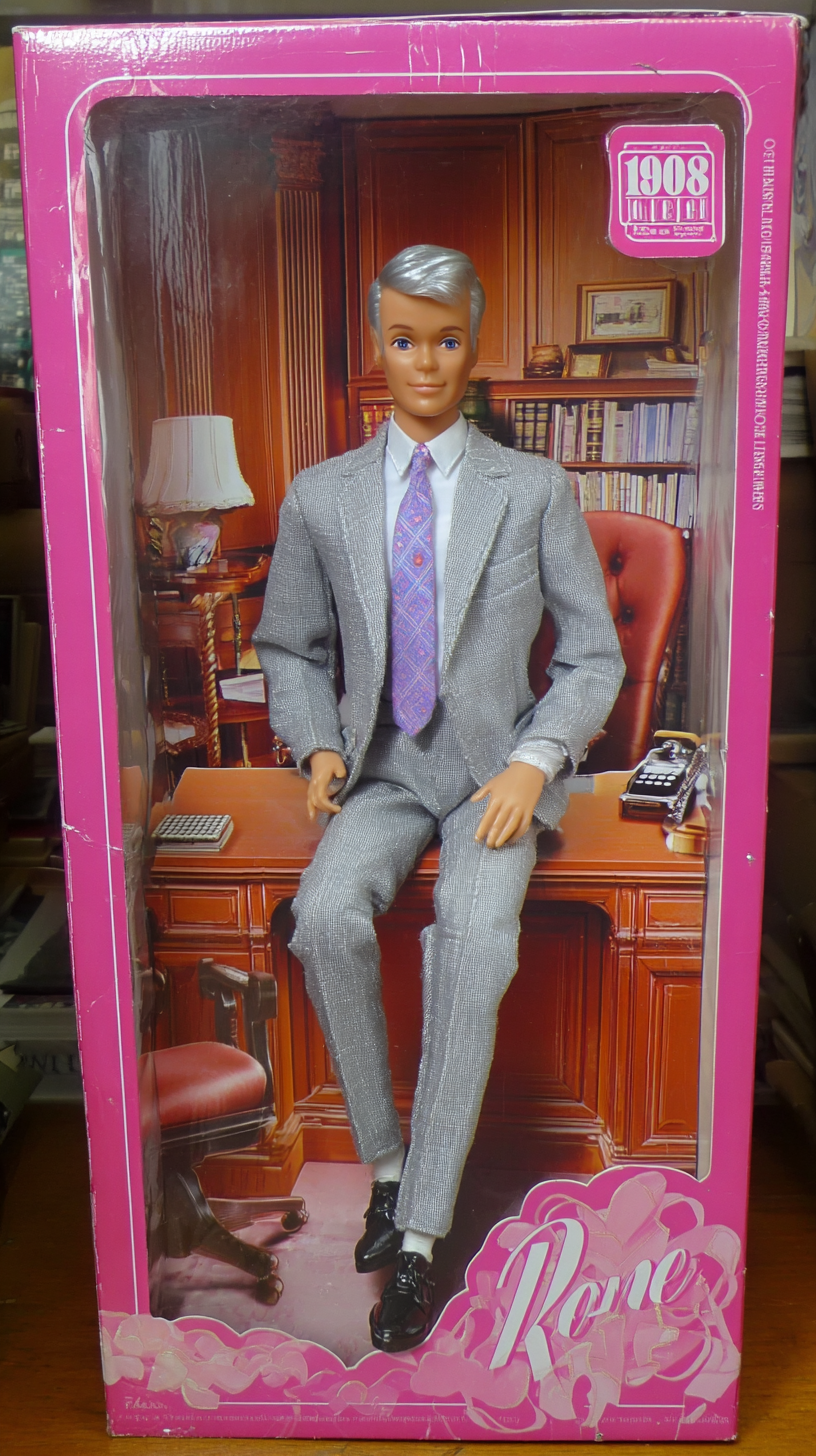
Over the following hour my brain took off on a cinematic tour of Barbie and Ken’s “post-doll” life. By the time I fell asleep, I had outlines for the six short stories you are about to read. Enjoy!
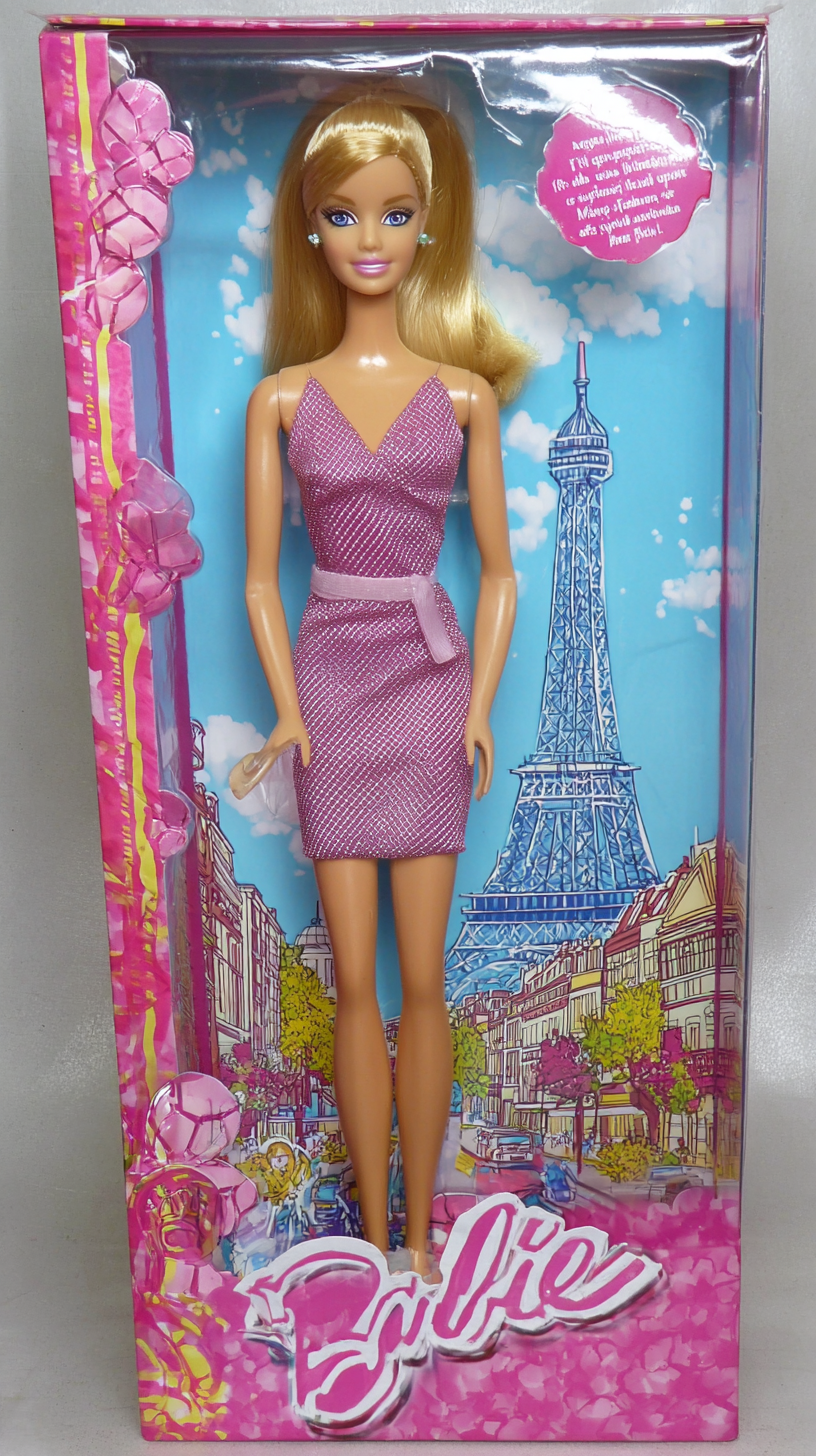
Fashion Model Barbie – Barbara O’Malley
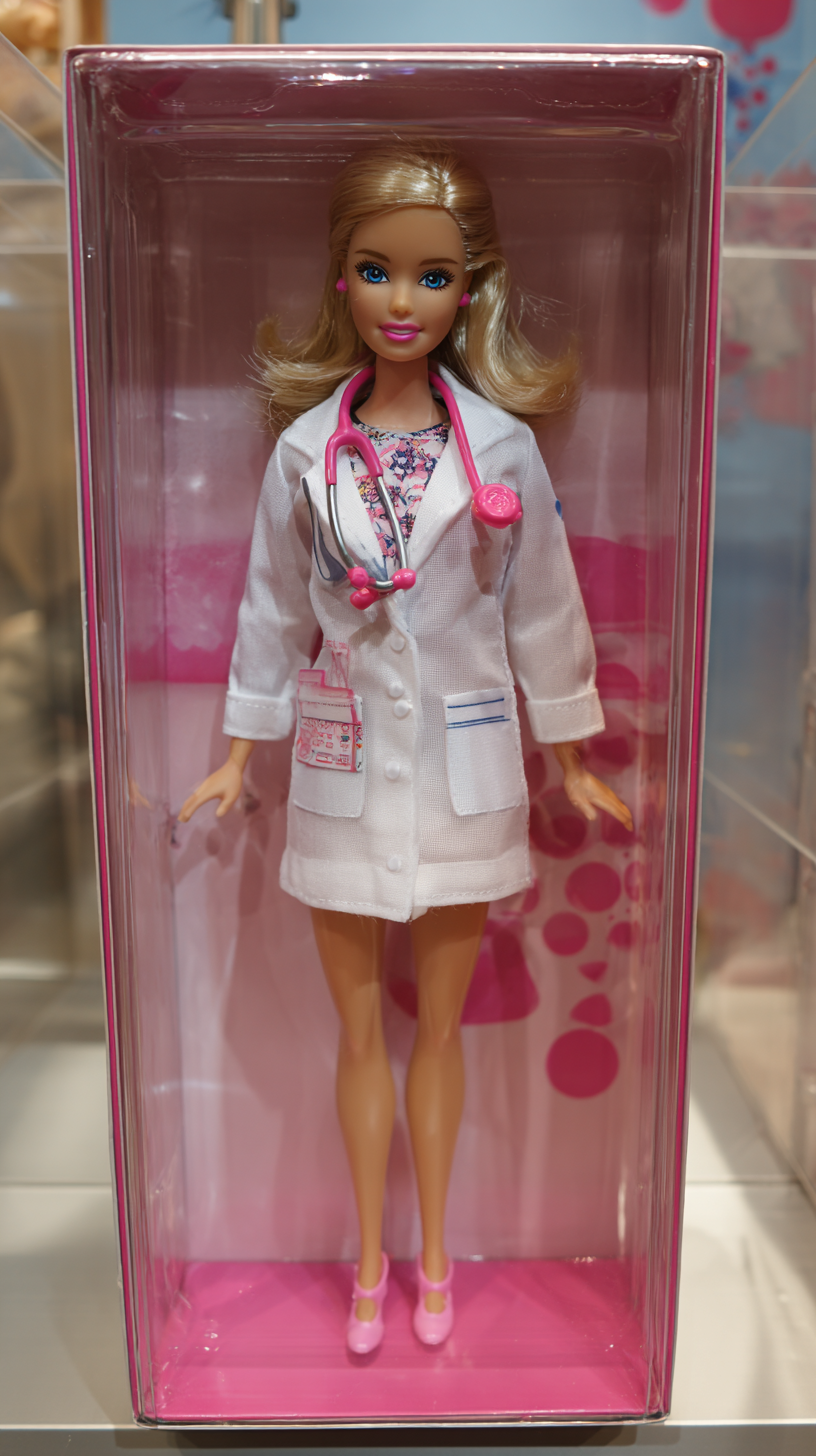
Doctor Barbie – Barbara Westinghouse
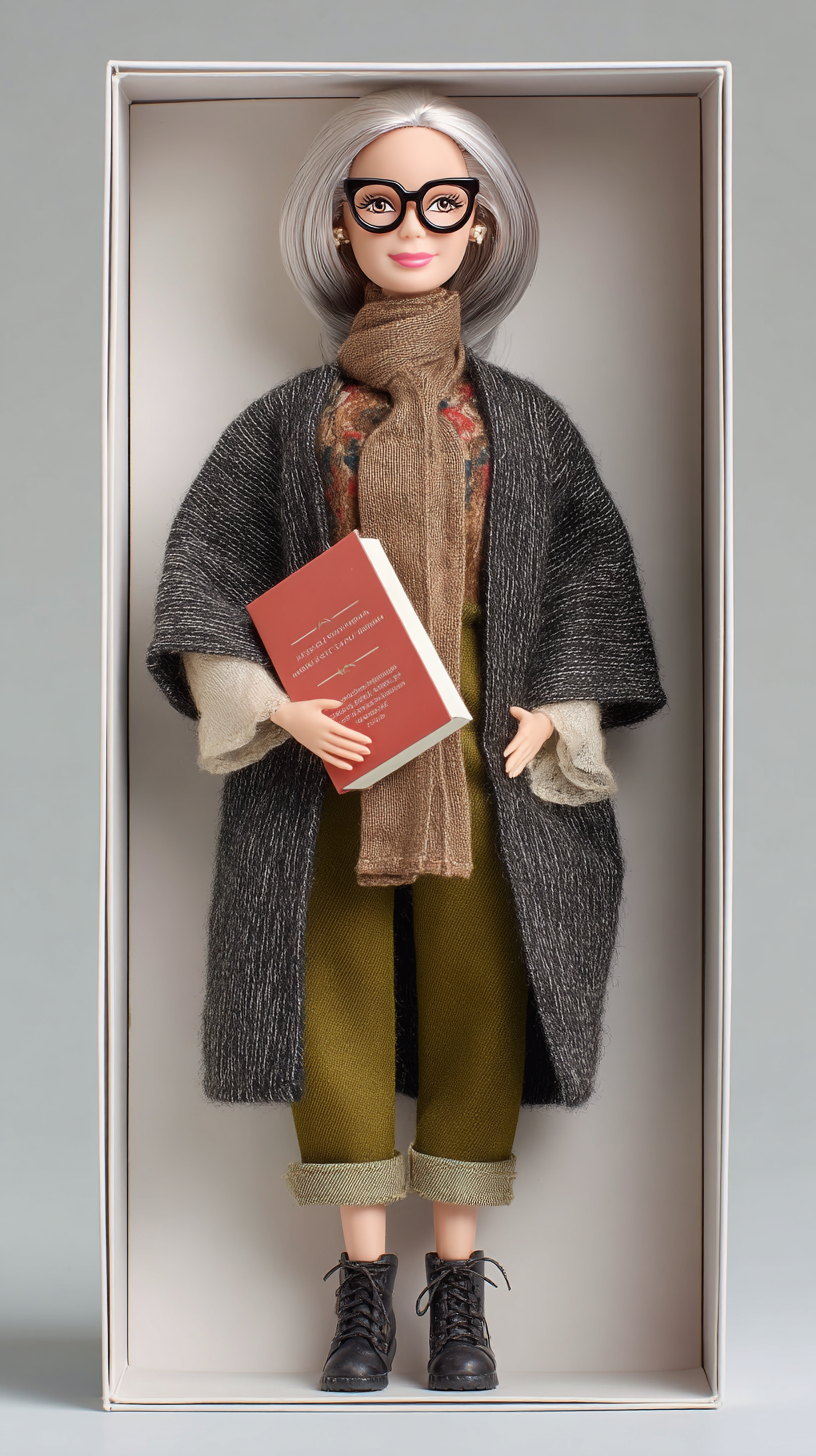
Astronaut Barbie – Barb Swindon
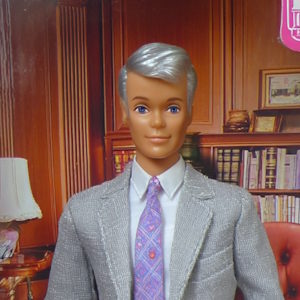
Tennis Ken – Kenilworth Wright Paisley III
Banker Ken – Kendrick Stevens
Earring Magic Ken – Kenny Fade
Fashion Model Barbie – Barbara O’Malley
Barbara is a seeker.
When she was seventeen, she was “discovered”. She went on to model for commercials and mid-level designers.
The clients flew her and her fellow models for photoshoots all around the world – Tokyo, Milan, London – and she had plenty of money to have real fun. By her early twenties she had many flings with different young men. Their common thread being fast boats, fast cars, cocaine, champagne.
At twenty five she was dating a guy named Flash. He rolled in a Lamborghini and would buy her anything she wanted. He had an edge; was an actual gangster. But she loved the lifestyle and didn’t think long on the source of the money. What she cared about were the art gallery launches, raucous birthday parties on yachts and spontaneous flights to Dubai. As their relationship deepened, Flash became more possessive. He’d question her interactions with other men. Interrogate her when she’d come home from outings.
It took so much effort for Barbie to extricate herself from these conversations that, eventually, she found it easier to just stay inside his high-rise Boston residence and never leave without him.
Most nights you would see her sitting alone near the window. Lights off inside except for a dim table lamp. Total silence. Eighteenth floor. In the lamp’s little circle of light, she’d be reading a good book.
Then, one night Flash did something that shook up her cosy life. They were out partying at a Top Forties club when Flash noticed another man eyeing Barbie. He went over and they had words. She doesn’t know what they said to each other, but she saw Flash winding up to deliver a right hook to the other guy’s jaw. Blood gushed out from the guy’s mouth and her gut twisted. It looked like a red waterfall running down his chin down his neck down his shirt.
A few days later Barbie packed up a small bag and secretly left the apartment. She made the trek over to her aunt Florence’s home. She needed to clear her head in a safe space.
Barbie cherished her times with her aunt. Florence was a patient listener and her advice was genuine – especially because Florence had been a bit of a wild girl, herself. That’s how she ended up in the convent.
Aunt Florence was a nun and her cell was at a convent on the edge of Boston. Their conversation that night calmed Barbie down. She left Flash for good and eventually spent more and more time visiting her Aunt.
“He hid you away. You’re just like your namesake saint!” her Aunt once said. Barbie’s curiosity was piqued, and they kept talking late into the night about that story. These relaxed conversations sparked an interest in Catholicism and Barbie began to read the New Testament for herself. The word of the Bible is what appealed to her – more than the symbolism, or the routine, or the ceremony of Catholicism.
Eventually, Barbie could spot where the Catholic Church deviated from the Word of Christ. I mean, Jesus literally said “But whoso shall offend one of these little ones which believe in me, it were better for him that a millstone were hanged about his neck, and that he were drowned in the depth of the sea.” And, well… Barbie knew what those Boston priests did to the children entrusted to their care.
Barbie returning for tea and conversation with Florence, but now she was secretly exploring Protestantism. Eventually she started attending a Lutheran church. Martin Luther’s writings really appealed to her – especially the idea that she could understand God’s will by reading scripture. No middleman between her and the Word.
One Sunday at church, she struck up a conversation with a man around her age. He was new in town and she offered to show him around. Over time, little by little they fell in love. He was as curious as she was and gave her the space she needed to search for Truth.
Barbie read the New Testament with deeper and deeper focus. She took notes on what it said, and turned to the Internet for explanations to things she didn’t understand. The Gospels began to yield under her gentle pressure.
They revealed puzzling things – like when, in the Gospel of Mark, Jesus says the Kingdom of God “…is like a grain of mustard seed, which, when it is sown in the earth, is less than all the seeds that be in the earth…” and in Luke, the Kingdom is “like a grain of mustard seed, which a man took, and cast into his garden; and it grew, and waxed a great tree“
And… it is illegal under Jewish law to sow mustard seeds in a garden (mustard is a weed that’ll strangle all your vegetables). In Mark’s Gospel, Jesus is a law-abiding Jew. In Luke’s, he is a rebel performing an illegal act.
To truly understand Jesus, Barbie needed to understand his time. Had to read the Old Testament.
In Hebrew.
Over the span of two years she attended evening school to learn the Hebrew language. She was forty at this point. Juggling family responsibilities and work. And going by “Barbara” now. She lost the carefree fun of her early twenties but she gained the discipline of a scholar. She was getting closer to the Truth.
When she felt confident in her Hebrew, Barbara studied the Old Testament with the same tenacity she previously applied to the New Testament.
Immediately something wasn’t right.
For starters: portions of the Torah refer to God as Jehovah (an individual) while others refer to God as Elohim (a plurality).
And God… well… he wasn’t very godlike:
God would say “For thou shalt worship no other god: for the Lord, whose name is Jealous, is a jealous God“.
Why did the Lord have a human flaw like jealousy? What does he stand to lose? Who is he comparing himself with?
Why does a celestial being need the adoration of humans? And why does he need us to worship him by – specifically – burning the fat around a cow’s liver at the Temple?
And how could the biblical Jacob – a mortal man – defeat an Angel of God? “Your name shall no longer be called Jacob, but Israel, because you have commanding power with [an angel of] God and with men, and you have prevailed.”
Later, God instructs Moses to return to Egypt from exile – to demand that Pharaoh release the Israelites from captivity. But in the next line “And it came to pass by the way in the inn, that the Lord met him, and sought to kill him.” .
Why would the same God seek to kill his own prophet?
Barbara looked for answers to these inconsistencies. She wrote to bible scholars and spent hours searching on the Internet until… there he was.
A kindred spirit.
This man, he would do things like analyze the following passage from Genesis 3:8 (when Adam and Eve are in the garden):
And they heard the voice of the Lord God walking in the garden in the cool of the day: and Adam and his wife hid themselves from the presence of the Lord God amongst the trees of the garden.
And the Lord God called unto Adam, and said unto him, Where art thou?
And then the man would say things like:
“How can two mortal humans hide from an Infinite Being? Why does an Infinite Being need to call out to Adam? This guy clearly has a physical body, and has constraints on his body and limits on the extent of his knowledge.”
This man, this wonderful man, lived in Turkey. His name was Marcion.
He lived in Turkey sometime between 85AD and 160AD and what he said really resonated with Barbara.
Marcion claimed that the world was formed by a limited, flawed God. A God that embodied all the facets of the world: from grace and forgiveness to jealousy and hypocrisy. Marcion said that another God – one that embodies love and mercy – sent a messenger named Jesus to reveal to Humanity that they’re living in a trap built by the Old God. And to offer a way out.
Marcion’s message was so powerful that it formed the core of an entire branch of Christianity called “Marcionism”. He was a deep scholar (just like Barbara!) and had compiled the first-known Christian Canon by combining separate early Christian writings into a single book.
His revelations were explosive. And he attracted many enemies. Other Christian movements prevailed over his followers. They so thoroughly wiped out Marcion’s contributions that we can only reconstruct his original ideas from his enemies’ refutations and tracts against him.
At fifty five, Barbara had found her people. She became one of a handful of modern Marcionites. Her life trajectory had been a movement from frivolity and light towards a concrete rootedness. She was able to see the world and understand it better. She was planning on going deeper into scholarship. Perhaps learning Greek – until her plans got disrupted.
“Stage 2 spleen cancer”. The chances of recovery looked bad. Barbara thanked the doctor and hung up the phone.
Her husband was dying.
She knew it she knew it she fucking knew it
She knew the evil of the world would eventually burst into her happy little bubble. Now Barbara had to stop reading about the Truth and the best way to live – and she had to start applying those lessons. Her task was to usher her beloved husband into death with grace. To watch with patience as his eyes sank in their sockets.
She was ready. She had been preparing for this her entire life.
Doctor Barbie – Barbara Westinghouse
Barbie is undercover.
When she was small, Barbie was one of those kids who knew exactly what she wanted to be as a grownup. She was going to be a doctor.
Being a doctor was prestigious, high-paying and helpful to others. It was a no-brainer. On her fifteenth birthday she asked her family to stop calling her “Barbie” and to start calling her by her full name. That was the year when she kicked her studies into high gear.
Barbara finished high-school with top grades and entered a pre-med program at eighteen.
Pre-med was grueling. The program demanded excellence in several difficult courses: chemistry, biology, organic chemistry, psychology. Even if you got good grades, enrolment into the medical masters program was limited to just 50% of the class. Some classmates checked out reference books from the library and tore out critical pages – just to sabotage their classmates’ performance.
Barbara did not party, did not date and did not join any clubs. She hardly spent time with the friends she made in pre-med. For four years she focused on getting the best grades she could. Finally, she graduated and got into Med School. She was so close to becoming a doctor.
Med School demanded even longer hours. Her social world contracted so she only interacted with other med students. After all, they were the only ones who kept similar hours. The only ones who understood the exceptional stress of studying. The only ones who learned about exotic diseases and started self-diagnosing at the same time that she did.
After the third year of Med School, she “Matched’ and began her residency at the local hospital.
Her life was harrowing. Life looked like: 14-hour days, overnight shifts, unpredictable emergencies and sleep deprivation. Also, making near-deadly mistakes because of aforementioned sleep deprivation.
Barbara was twenty six and felt that something was missing. She’d been on this mission for so long and so alone. Sometimes, she would look at the pallid tired face in the mirror and wonder if she could go the distance. She realized it was time to find her significant other.
She started dating men from her medical program. It was easy to bond over their shared stress at school and the endless nightmare of residency. At three years deep into her residency she had had three serious relationships. Each of the men was suitable in his own way. But, eventually, every one of them had let her down.
Was it her? Was she the common factor?
She was fuckingover it .
On a rare summer weekend when she spent time with a friend, she finally got some clarity. Barbara was out drinking on a patio with Wendy – one of the few people from high-school she still kept in touch with.
“You know the statistic on how 20% of physicians marry other doctors, and another 25% marry some different type of healthcare professional?” Wendy asked.
“Yeah…”
Wendy took a sip of her wine. “They don’t do it out of love, Sweetheart. It’s because of shared trauma.
“Doctors are a guild, right?
“They have an apprenticeship program – just like masons and lawyers do – called ‘Residency’.
“They enforce their own quality standards through the medical accreditation board. Often, they close ranks to shield even the worst doctors from outside criticism.
“They restrict the supply of new doctors to create scarcity and keep current doctors’ earnings high. That’s why foreign-licensed doctors must get re-licensed from scratch to practise in this country. Why only the top 50% of pre-med students are even permitted to attend Med School. Like the next 25% below weren’t fantastic students too.
“And doctors have a vicious hazing to separate you from the ‘normies’. It’s the singular focus on school. The years of sleep deprivation. The Latin jargon. It’s all meant to shrink your world so that you only relate to other doctors. Only think like other doctors. Only love other doctors.
“You bond through suffering. Even armies and gangs have a softer initiation.
“So, honey, if you want to find a different kind of man you must look for him outside your little world of doctors.”
That night, Barbara kept tossing and turning until three in the morning. Thinking about what Wendy said. Stomach churning with cheap wine.
Six months later, Barbara graduated with her license to practice. She was Doctor Barbara now.
A large downtown clinic immediately hired her as a family doctor and things really started rolling. She had respect, a lot of money coming in and abundant free time. She decided to keep looking for the man who’d be her partner.
Barbara was more broad minded this time. She went on dates with construction workers, cooks, mathematicians, magicians, salesmen, cheesemongers and even a sailor. By the time she was thirty two she had two more serious relationships under her belt – plus one cancelled engagement.
At a different bar, in a different year, Wendy was sitting across from her once again. Listening to Barbara bitch about men – just like last time.
“Girl, stop thinking. You need to let loose tonight,” Wendy said.
She declared that would go to a local gay bar. It wasn’t the kind of place where Barbara would ever go on her own – having spent her party years inserting catheters and sewing up wounds. But, at this point, she was fueled by large quantities of sangria and was open to try something new. They had a roaring good time at the bar. The music was great. The gay men, familiar and at ease with each other. There were also a few women: Barbara remembers dancing with a young brunette. A constellation of piercings glinting in her right ear.
Happy and disinhibited, Barbara took her home.
When Barbara woke up next morning, the young woman was still there in the apartment – making a quick breakfast on the stove. They sat at the marble countertop and talked. They passed two hours together in easy conversation.
For the first time, Barbara considered the possibility that her perfect man might actually be a woman.
She kept searching with a mind that was becoming more and more open. Holding on to the idea that – perhaps – her future partner was searching for her just as stubbornly.
Seven months later they found each other on the dancefloor at a Birthday Massacre concert. Her name was Willow. An intelligent woman who had two angora rabbits and a talent for turning old junk into handsome furniture.
Finally, Barbara’s personal life was at balance.
But Doctor Barbara was increasingly angry.
It’s been years now as a family doctor. She had the skills to heal her patients, but it was like swimming against the current: so many factors worked to foil Barbara’s treatments. Sometimes it was the patients – we’re talking about people who are so obsessed with “natural” medicine that they won’t take their prescription; or those who wouldn’t trust her because the medical system burned them too many times. Sometimes it was the doctors: the specialist doctor who loves the sound of his own voice so much that it drowns out the patient’s; the doctor so dumb he can’t tell his own arse from his ankle.
Doctor Barbara had spent a long time getting herself onto the standard track in medicine. And this track was leading to nowhere.
“Try something different. Get creative about your path.”
Willow said that – or at least it sounded like that. She was holding a paintbrush in her mouth while fixing a dresser and listening to Barbara complain. Willow’s advice was to let go of the standard image of what a doctor could be.
Barbara was sceptical but she’d give anything a try… She started reading research about types of medicine she’d never considered before.
Music therapy Equine-assisted therapy Drama therapy Massage
Those research papers were painting an unexpected picture: showing that the mind had the power to heal the body, and vice versa. She went deeper.
Tai Chi Aromatherapy Chiropractic Acupressure Reiki
Deeper still.
Naturopathy Aura healing Biofield tuning Psychic surgery
Even deeper.
Chelation Horse Dewormer Colloidal silver Natural Cures “They” Don’t Want You To Know About One Weird Trick One Weird Trick One Weird Trick
There! Barbara got her breakthrough idea.
—
Together with Willow they rented a small space in a strip mall. On the weekends, they worked on fixing up the walls and decorating it just right. Doctor Barbara started reducing her hours at the clinic, spending more and more time studying up for what was to come.
Then, on a cold October morning it happened: she opened The Crystal Healing Center to the public.
Why crystals?
Crystals are beautiful. Light. Ordered in a world that feels chaotic. Depending on the colour, shape or texture of the stones, Barbara could put a patient in a specific emotional state. Take the patient out of their suffering and into a moment of clarity.
Barbara looked the part of a spiritual healer, now. Wrapped in a colourful sari. Her many bangles tinkled on her wrists as she moved. Her voice was now wispy and soft – just like the spiritual healers she watched on YouTube. Med School taught her well: it wasn’t just your skill as a doctor that mattered, it was also your demeanour, your clothes, your attitude.
Why crystals?
You see, by the time a science-minded mother takes her child to a Crystal Healer, she’s despondent. She had been let down by an average of four establishment doctors. Nowhere to turn to. No-one offering answers.
In Barbara’s calm room, that mother would start talking and Barbara would sit and listen. To all the symptoms. All the tests. The whole exhausting medical journey. Really listening. Possibly for the very first time.
Yes – there would be a waving of crystals, a spritzing of essential oils and the twanging of Indian sitar. But, in parallel, Barbara would use her superior medical knowledge to put all the symptoms together – to figure out the root cause of the illness in a way that other doctors couldn’t.
Why crystals?
For a man who’s never trusted in medicine, walking into Barbara’s Centre may have been his first treatment from a real doctor. That “chakra tuning” routine she did – it could be a clandestine dental inspection, a joint mobility test, a vision check – anything she wanted. It was a full physical in disguise.
Late into the night, Barbara would read the freshest medical research. She would craft persuasive stories – explaining how antibiotics come from 100% natural bacteria – so that reluctant patients would try real medicines. It was hard work and it paid peanuts, but she was making a real difference.
Her whole life trajectory had been one of rising from the hard solid ground to an ethereal plane, making a bigger difference in the world with her light touch and a kind smile.
At age fifty five she stopped referring to herself as “Doctor Barbara”.
She was Barbie now.
Astronaut Barbie – Barb Swindon
Barb is about to make the speech of her life.
When she was 37, she realized the goal of her life. Going to space.
They called her “Astronaut Barbie” and made all these dolls that made her look like she was 20. “Complete bullshit” Barb would say, “huge tits and long hair, that kind of stuff. Absolutely not what a real astronaut looks like after training for 2 hours a day for five years.”
She had joined the US Air Force for the prestige. They pushed her real hard but they couldn’t find the limit of her abilities. She went from maintenance technician, to fighter pilot, to experimental pilot. The next step was to go to space.
Later, Barb would say: “These macho guys were twice my size and thought they’re a shoe-in for a spot on a space mission. But there was something I knew that they didn’t: space was an equalizer. Men’s height, reach and power – none of that was an advantage in space. And my mental acuity put me on a step above them.”
Her physical training changed her body and made her lean. For her mission training, she had to learn how to perform experiments with plants. She also had to learn enough Pascal programming that she could troubleshoot any failures in the space lab’s equipment.
Barb went up in 1987. She spent two months in orbit running experiments on a grueling schedule – 12 hours a day. Spending long hours in the Experiment Lab Module, separated from her two crewmates.
When she returned back to Earth, it was a high of celebrations and interviews. But after the excitement died down, she was lost. This was the end of the road. She reached the peak. NASA kept her on as a Trainer for other astronauts but there was no established “after space” career track.
Fast forward five years into that Trainer job and Barb was just drifting. Just going through the motions in Rural Bumfuck Nowhere. New groups of students rotating through, new faces every three months.
On one of the rare occasions when a good band came through town, she went out to see the show. Driving back late at night, a drunk driver hit Barb’s car crosswise at an intersection – full speed. When she came to, she was told “Your right Tibia is shattered in three places, three of your fingers are broken, and you have severe whiplash”. The collision was so forceful that it killed the other driver – the steering wheel cracking through his ribcage and into his heart.
She had 4 months of physiotherapy to go through. In those days, if you were to drop in on her you’d see Barb going through 2 hours of rehabilitation exercises every day. At the local gym, completely alone.
At the end of it Barb could walk with a limp and type slowly. But she wasn’t well enough to keep up with her job. Back at work for only a week, Barb got the message:”We’re sorry to say this, but the Program is under budgetary pressure. Your position has been cut.” She suspected that the real reason for her firing was different.
She kept in touch with her crewmates and the tight-knit community of other spacegoing astronauts. There was no clear path for what comes next for someone like Barb. Some astronauts shilled products as sponsored spokesmen. Some went into corporate training or high-performance sports coaching. Some became high-end escorts.
Barb started doing motivational speaking but the cashflow was unpredictable. She needed to shake things up.
For the first time in her life, Barb moved to a big city. To New York. Without friends in the city she had no safety next. With her mix of income from odd jobs for the space agency and public speaking, she was barely able to afford the astronomical rent. For one week, before a payment had cleared, she resorted to using the local Food Bank to make it through. She collected her cans of beans while wearing a baggy hoodie and hoping that no one would spot her
If she was going to reinvent herself Barb had to take stock of her skills. She decided that with enough effort her Pascal knowledge could be a jumping pad for a career as a programmer. She started studying. After months of false starts, watching Youtube videos, reading books and deploying her first Web project, Barb felt confident enough to start applying to jobs.
Barb was hired as a Junior Developer at a space-tech startup. With that salary and her speaking fees, she could now comfortably afford life in New York.
This was many years ago.
Barb had forged her own path.
Eccentric. No husband. No children. Always fighting through. Always doing it on her own.
Right this moment, she’s about to address the citizens of New York City as part of the city’s “Innovation Initiative”. It is by far the largest audience she’d ever spoken to and it took a year to finagle this prime spot. Barb is standing backstage behind a curtain, taking this time to gather her thoughts.
It is a few weeks after her 65th birthday and Barb has a sensitive message to deliver:
—
Something happened when she was up there.
Up there in space.
Early in the mission, she was finishing a hard eleven-hour session of botanical experiments. Her vision was beginning to double from the strain. And then she saw the Thing.
Later Barb would say “You couldn’t see it if you looked at it directly. Looking at it straight-on was like looking at the Sun – sensory overload. You could only see it with your peripheral vision. So I had to focus to the side and sort of tilt my head. It looked like… rotating triangles, blurry motion, like always changing.”
Barb nicknamed it Δ because that was what it most closely resembled.
For the rest of the mission Δ would appear to Barb and communicate to her. When it spoke, it sounded like a roar of white noise inside her skull.
Do you sometimes wake up from a deep sleep and hear the sound of angelic music – fading as you come to your senses?
Its voice sounded like that music, in the midst of the roar, except the fading would last for hours. All she could do was try to focus on hearing it.
She would listen to Δ . Then go back to her work. listen and go back. For hours, every day, until the end of the mission.
Δ came to explain why a poor person – who is born in squalour, into shortage and war – ends up suffering with hunger and pain. It explained why a rich person who – born into plenty, into safety and leisure – ends up suffering with ennui and restlessness. It showed that this world is a Suffering Machine. And taught how the Machine finds the right kind of suffering for each creature.
Δ revealed who created this world and what its purpose is. Why wicked, selfish people are rewarded while the selfless and good are punished. Why it takes so much effort to build a thing, and so little to destroy it. Why history seems to repeat itself in cycles.
The original Kabbalists, cowering from their neighbours in their 18th century Shtetl, had discovered that reality is a woven tapestry. If you became learned enough you could peek behind the neat “face” of this tapestry to the messy “back”. There, you could see the yarn that connects things that seem unrelated when looking at the “face” of the world. What Barb experienced was something like that revelation.
At the end, Δ said that Barb must keep this message secret until her 65th birthday. At that point she was free to share it with the world if she wished.
Trying to recall Δ ‘s exact message was “… like a word that’s just on the tip of your tongue. I could tell you exactly what it said, but every time I open my mouth I can’t quite choose the right phrase. You’re so close to getting the right words. Sleep on it and it will come to you – except only the idea remains and the words never arrive.”
Barb kept Δ secret during the mission. And she sure as hell didn’t mention it during the debrief.
She wondered why no one noticed this anomaly in the mission.
Years later, Barb would acquire the video from that Experiment Lab Module. In the footage you can see her hunched over her work. She would periodically lift her head from the task while continuing to work with her hands. She’d be staring off into the middle distance as if taking a short break. Nothing seemed amiss to the ground control crew. No trace of Δ ever appeared on the tape.
A month after the mission’s end she was drinking with Tom, her crewmate. In a dingy bar off-base, disinhibited, in their own corner… she decided to take a risk. Barb asked if Tom had seen anything odd Up There. Tom gradually confessed that yes he had seen athing, too. Later they’d confirm that Steph, the third crewmember, had also seen it.
And those things never left.
Δ never spoke to Barb again. But it returned to Earth with her. It was always present.
Sometimes, it would be in her peripheral vision. Occasionally, it would give her a gentle “nudge” on the shoulder to draw her attention.
You remember that night when the drunk driver almost killed her? It was Δ ‘s urgent tap to the leg that caused Barb to slam the brakes before her brain even realized what’s happening. A moment later and she would have been dead.
And in those days when she was trying to make it in New York? She would think about her insurmountable challenges, how desperate, how alone she was and she’d cry. Δ would sit on the edge of her vision as if to remind her that she wasn’t alone.
On those long nights when she was hitting the books, studying programming until 2am – Barb would look at the NYC streetscape from her high-rise window. Amid the flashing sirens and stumbling drunks, she would see the silent sentinel. Awake alongside her. Supporting her.
Barb’s life brought her to this key moment. To try and put the message from Δ into words for the first time.
Barb knew why our world was created and what its operating impetus was. But she had no expectations for what would happen next. No ambitions for what her audience would do with the knowledge.
Because, truth be told, knowing the mysteries of our world didn’t turn Barb into some superbeing. She still made mistakes. Still said the wrong thing, sabotaged herself – just like before. She had a genuine struggle with finding her place in the world.
The day after you look into the face of God… you still have to wake up, brush your teeth and go to work.
But maybe,
Just maybe,
You won’t feel so alone doing it.
Tennis Ken – Kenilworth Wright Paisley III
Kenilworth has a Thing.
Since the day he was born, it was destined that Kenilworth would attend Yale like his father and grandfather before him.
In his university years, Ken focused on becoming the best Tennis player he could be. He was strong and agile, earning his team a gold in a men’s singles and two regional doubles competitions. He graduated with a philosophy degree and no clue what to do with his life.
Ken was a pleasant guy. He didn’t have the aptitude for business that his sister did. She ended up running the logistics division of their family business. He didn’t have the right touch for politics, like his younger brother did. His brother took on the mantle of their “family lobbyist” in the halls of power.
Ken’s father loved him very much and installed him as a Director at the family’s Charitable Trust. Ken’s job was to sponsor worthy cultural endeavours in New England: financing small theatre productions, art installations and bankrolling nonprofits.
Ken did all the standard things. He married Susan, the niece of his father’s closest friend. They had two kids. They got a dog. They moved to an expensive suburb. He spent his time socializing with neighbours and playing at the local golf club.
After twenty years of putting signatures on funding forms he wondered what he’d accomplished in his life.
At one of the many barbecues he hosted, Ken looked out over the friends and neighbours who were socializing. They were wealthy and powerful. Many of them were born into riches. But each one was pursuing a profession or a calling. There was an excellent lawyer, one of the top heritage house restorers in the state, the top saleswoman for a shipping company, builders, career coaches and technologists.
Now, none of them needed a job to live their best life. But each one had an aptitude they chose to pursue.
Ken didn’t need a job either. He was, by far, the wealthiest of them. But Ken sort of floated on the winds. Never choosing his own direction. Always going along with others.
He often felt that his friends, his kids, and his wife found him faintly ridiculous. A good natured man without a his own perspective on anything.
Ken wondered: “Everybody here has a thing. What is my thing?“
Did he even have one?
Susan spotted his gloomy mood. He was doing that routine again. The one where he looks around at people and snaps out of it in a sour mood. She bet he didn’t even notice himself doing this.
“Hey Ken, take a look at this backyard – I want to do something different with it”, she said. Susan swept her hand to emphasize the plain green-on-green grass and bushes. “I want to see some flowers. You think you could get the gardeners to change things up?”. She figured it might distract him from his brooding.
The next morning, Ken was sitting on the patio sipping a cortado from a small glass. The sun was out and the landscapers were busy doing the weekly trimming. The foreman, Juan, was riding on a lawnmower while the rest of the crew snipped at the plain bushes.
One of the workers – a young woman in tight jeans – was bent over near the fence. She was… she was digging in the ground is what she was doing. Ken kept looking at her and his thoughts kept turning.
He started walking towards her. She’d been around here before, but he rarely spoke with the landscapers and never spoke to her. Ramona something, that was her name. He noticed her muscles flexing as she dug that shovel in the ground, sweat beading on her forearm. Yes. He knew what would shake him out of his funk.
Ken came over to Ramona. She was surprised and tense when The Client first started talking to her. But, gradually, her shoulders relaxed, and his shoulders relaxed and he reached his hand over.
He lay his hand on her shovel’s grip and with a nod from her, he drove it into the soil.
“Like this?”
“Yes.”
That first time took an hour but, at the end of it, Ken had dug and trimmed a standard flowerbed.
The next day, Ramona and the team showed him how his backyard naturally split into four distinct areas – each one with different amounts of light, and suitable for different types of plants. Later, they taught him how to apply fertilizer without it clumping and burning the plants.
Next, Ken learned which USDA Plant Hardiness Zone his town was in.
He was hungry for knowledge. He learned how to grow plants from seed. He would raise them indoors and transplant them into pots. He would gradually prepare them for exposure to full sunlight before planting them with his own hands.
Ken was excited. His whole life, he has gone along with what other people wanted for him. But this… To see the plants grow strong, to see their flowers bloom, to know that he was making it happen and that he was damn good at it… this was his.
On a certain day – if you happened to drop by – you would find Ken standing in the kitchen with his morning coffee. The dining table would be covered with the largest sheet of paper you’d ever seen. Juan, Ramona and the crew all sat around it. Making marks, debating Ken’s ambitious plans for his new flower garden.
If you happened to drop by that day, you would see Ken smiling wide.
Ken had found his thing.
Banker Ken – Kendrick Stevens
Kendrick feels unmoored.
Kendrick – “Ken” – had always belonged in his neighbourhood. He’d always been right there, always in that same mid-size college town in Connecticut.
Life wasn’t easy for Ken. His mother raised him alone, with no father in the picture. She had to work long hours. Sometimes even working two jobs so that they could afford Summer Camp for young Ken.
Ken loved his mom. He appreciated how hard she worked. And the older he got, the less interested he had in the man who turned his back on them.
Of course, there were traces of his father. Ken had an intensity of focus that his easygoing mother didn’t. He was good with language – always quick to quip and turn a phrase. And his curly brown hair stood at a contrast to his mother’s flat blonde hair.
When Ken entered college it was a milestone. It felt like their little family had “made it”. His mother could slow down now.
He graduated with a Finance diploma and got a job at the biggest bank in town. Ken felt comfortable in his own skin: Something special happens when you are born in a place, grow up there, are fully immersed. Fully belong. He had that – Ken was friends with his neighbours, his accountant was down the street, his friend was a local policeman. Another friend was the town’s baker.
This kind of belonging comes with its own risks. An outsider would immediately see what’s wrong with a community, but an insider never had to question the way things are. Ken was an insider. He fit in so well, you could almost say that the only unusual thing about him was his name – “Kendrick”.
The years passed.
Ken met his partner. Got married. They had kids. His mother – she was getting older. She was beginning to reminisce about the past. Wanted her son and grandson to know more about her life. About where they came from.
And so it came to be that, at age forty, Ken discovered that he was a quarter Black.
His mother opened a shoebox with old photos – he’d never seen this one before – and handed him a photo of his grandfather. The grandfather he was named after. In the photo was a wiry black man with intense eyes.
—
It started slowly.
First, Ken found it harder to laugh along with his friends down at the pub. Some jokes land different when they’re suddenly about your ancestors.
Ken’s curiosity grew and he started reading.
He read about slavers overrunning a village in Western Africa. In England, the city of Bristol was growing faster and faster.
He read that the best thing to get was a 29 year old male. The female would set you back only 80% of that. The old and infirm would have a negative value for your business. You could force them fuck and breed some more for your farm, at no additional cost. The beauty of the Free Market at work.
Going to the diner for pancakes was a monthly tradition that Ken and his son enjoyed. But, one morning, Ken couldn’t ignore the TV screen in his peripheral vision. The news suddenly made him feel more anxious than before.
“I can’t breathe” and “ALL lives matter”. That was Big City stuff. It didn’t concern him. Right?
Ken kept reading.
The history of Liberia. That going back was impossible: once you leave a place, you are transformed into something that belongs neither here nor there. You are brand new. Unclassifiable.
Black Star Line.
Redlining.
Free Breakfast for School Children.
Monuments to Losers, put up to intimidate the Victors. Only in America.
The more Ken studied the more messed up his world seemed…
Do you want to Build Generational Wealth?
Wealth Gospel.
Bally’s Chicago Host Community Agreement.
Entrepreneurship.
Crypto.
Crypto.
Crypto.
NFTs.
Bro, are you even trying to Build Generational Wealth?
One summer evening Ken was out in the neighbourhood walking his dog.
The heat of the day was dying down and a cool breeze had picked up. It was 8pm and the fences cast long shadows on the lawns. He knew the houses like the back of his hand. He knew the people. Every fifteen minutes he’d stop to exchange a nod or a “hello” with someone.
Raising his eyes to take in his neighbourhood, he noticed the tin signs on the streetlamps. He’d never thought about the signs before.
“NEIGHBORHOOD WATCH”
Who are you watching for?
“WE CALL POLICE”
Wouldn’t anyone call police in an emergency? Unless… these people would call police for other reasons?
You can no longer say that Ken is comfortable in his own skin. He doesn’t feel belonging, safety, predictability. But at the age of forty five he’s learning something new.
He’d never thought about the signs before. But he’s thinking now.
He loved men. Their smell, their rough hands, the feeling of stubble against his cheek.
When he was twenty he threw himself into New York’s rave scene. Every weekend, Kenny would travel to the outer boroughs for a good underground party in a dusty warehouse. It was 1992 and House music was on fire.
Gay men in his scene had a certain style and Kenny made sure to keep up with fashion. He’d be out rocking his bleached hair, his single earring, mesh top and a pair of bright blue eyes. Oh and, of course, the ultimate clubwear accessory – a chromed cock ring on a steel necklace.
He cut such a figure in the rave scene that he was noticed by anthropologists doing research for a toy company. He posed for their photos. Later, when a doll that looked like Kenny came out, he and his friends laughed about it. Just think: so many suburban girls getting their first taste of cutting-edge gay culture from “Ken”!
It was a time of art and music and friendship and he loved it.
Until…
Kenny’s older friend, Rod, started getting bouts of flu.
He’d be sick for longer and longer periods. Then, the joint pain and skin problems started.
It was what they feared: somewhere along the line Rod contracted HIV. And it was now full-blown AIDS.
All Ken could do was visit often and cook for his friend. The disease progressed quickly. Within six months, Rod was staying in a ward at Mount Sinai Hospital. Two weeks after that he was dead.
The two friends shared a deep love of House music. They would be each others’ wingmen and would hit up most parties together. Rod’s death brought the fun to a sudden stop.
Kenny dissociated from his feelings. All he could do was to just take the next step in front of him. And then the next.
Rod’s parents lived far away in Puerto Rico. They asked Kenny for a favour: they had no one in New York who could wind up Rod’s estate. There was some money, some furniture – not much. So Kenny said “yes”.
Kenny had a tough time navigating the legal system – he wasn’t kin and he didn’t know what he was doing. He was just going on momentum. There were tricky challenges: what to do with Rod’s cat? How to ship Rod’s vinyl collection back home? How to collect the small life-insurance policy from his workplace?
After everything was done, Kenny emerged from living on autopilot long enough to realize:
Look how grateful Rod’s parents were for my help. It was the worst thing that could happen to a parent, but I was there and made a real difference.
and also
I’m really good at this.
Kenny started helping with the estate administration for friends-of-friends who had passed away. This meant translating paperwork, figuring out the administrative “gotchas” and helping mourning families’ manage their feelings through the process. At first, he did this in the evenings. Then, during lunchtime breaks at his job. Then, the breaks became longer and longer…
Eventually Kenny decided to go all-in. He enrolled in night-school for Law. He knew exactly what he wanted the degree for and that helped him focus on the work. After four years he had his JD and passed the Bar Exam. Kenny got a set of sharp new suits and started going by “Ken”.
This was years ago and he has done quite well since then.
In middle age, Ken is the fourth top-ranked Estate Administrator in New York City. He’s the president of a small legal firm. The office is located in a tasteful Manhattan brownstone that he owns outright. The place is so big that Ken only uses the ground floor.
Though Ken was good at this work, the more time he spent on estates the further he got from that carefree and creative man he used to be. The only reminder of that time was a silver ring – about 2 inches in diameter – that stayed on his massive wooden desk. Behind his name plate, where only he could see it.
The city itself had changed in all this time. The cost of living in New York was astronomical. There were no longer places where artists and musicians could afford to live. Nothing like the Hotel Chelsea or the Mob-run building where Moby lived and played in his tiny studio. Ken felt sad for the loss of these spaces. The loss of this spirit.
But he was in a position to do something about it.
You see, a while ago Ken read about the concept of “Charter Houses“. The idea is to create a space where a group of people can live for free and use their time to create, research, or do whatever without needing to work for 8 hours a day. This wouldn’t be luxury – Ken could provide accommodation in the two upper floors of his brownstone, and a monthly stipend that was just enough for dining on ramen-and-eggs. But it would be enough for six young people to survive and make art.
Ken’s first cohort would be made up of electronic musicians and digital visual artists. It would run for two years. Ken would be their patron.
All his life, Ken has been on a trajectory from high lightness to a heavy seriousness.
Knock knock
The first of the applicants for his Charter House was here for her interview.
Ken put down the ring he’d been absently flipping between his fingers. He straightened up his tie.
I was reading a book about Risograph prints and saw an interesting poster hanging in one of the Riso studios. Chasing it down led me to Little Thunder’s “The Blister Exists” book:
Storytelling Table Runner (物語るテーブルランナー) is a project where each work starts with Konoike listening to the personal stories of Japanese people. She then draws up the plans for a quilted place-mat based on the stories. The storyteller then embroiders the mat using scraps of fabric – sometimes fabric saved over the years from items in the scene itself.
The contrast between the folksy art style and the serious subject matter is unusual.
Most of these translations are from Google Translate – ChatGPT and Gemini hallucinated wildly when I tried to get them to translate the story captions.
The cat catches fire
Warning: this specific story is brutal – skip it to avoid a dose of tragedy. It is also the one that really got me interested in the other stories in this project.
The Cat Catches Fire, 2014. As part of Storytelling Table Runner in Aniai, Akita Prefecture. Storyteller/Producer: Chioko Matsuhashi. Photography by Yuko Shoji. Courtesy of Tomoko Konoike.
This is a part of the Storytelling Table Runner project on which the artist Tomoko Konoike (born 1960 in Akita Prefecture) has been working since 2014, and is based on a story of Chioko Matsuhashi in Aniai, Akita Prefecture, from when her grandfather was a child. Leaving his youngest sister, who was still a baby, in a round basket called izumekko, the whole family went out to work in the fields. It was a cold day, so they lit a fire in the hearth to keep her warm. The house later caught on fire, which killed the baby. The cause of the fire was not known, but the family realised that their cat had gone missing. “The cat must have run around and jumped into the hearth and started the fire. That must have been the cause.” The family came to believe so. That is the story. The soft touch of the work and its heartwarming quality particular to hand-stitched items somehow serves to emphasise the indescribable tragedy.
My husband overcame my objections and opened Robata Yamachika. A few months later, after work, he climbed up the rocks around the parking lot to get some night air. On the other side of the rocks was the ocean, but he lost his footing and fell. Although he did not fall into the sea, he broke his left hand, leg, and femur, and the bones on the back of his hand were broken into pieces, and he had to stab his finger to heal, and the restaurant was closed for three months.
After that, the restaurant reopened, but I ended up helping out. I worked at a company in the afternoon and then worked in the dining area until late at night. Robata Yamachika was famous for its turtle dishes, and turtle hotpot and fried turtle were very popular. Customers sometimes brought in their own turtles, but the preparation of the turtles was a bit cruel and I was scared to watch.
This continued for 15 years.
Story by: Masako Inoue Embroidery: Masako Inoue and Shoko Uemura
It has been over 50 years since I married into Noto.
On the day of my wedding, the person dressing me came early in the morning and greeted me with “Congratulations.” I was filled with anxiety, knowing that today I was going to become a bride.
The sound of the kimono being dressed echoed throughout the room, and after about two hours, a mirror was brought over to me and I was told, “Good job, you look beautiful.” When I looked in the mirror, I saw my mother in the corner, and tears suddenly started flowing. My mother had been watching me from the corner of the room the whole time.
Every time I went back home, my mother would often say, “It was a beautiful wedding,” or “Noto is so far away.”
Someone washes a mat by the lakeside, another person hangs it to dry. A small child munches on a biscuit among the rocks. In the distance, a boat is visible. The water looks cold but is clear and blue. This is a childhood summer memory recounted by Maarit from Finland. “Each person has a modest, wonderful, and astonishing story happening to them” (Konoike), and these are depicted through needle, thread, and conversation.
When winter arrived, my mother would gather iwanori (rock seaweed). On clear, calm days, the women of the village would all set out boats to the nori islands. Gathering nori was cold work, and if one misstepped, they could fall into the sea and lose their lives, so I was always very worried until they returned safely.
The iwanori they brought back would be spread out on bamboo mats to dry. My mother’s hands, from working in the very cold water, would turn bright red. The dried iwanori was lightly toasted on a stove and, with a little soy sauce, eaten with rice – it was incredibly delicious. It was also good in miso soup or natto soup, or even wrapped around onigiri.
While my mother was out gathering nori, we children would stay warm inside the house, watching TV while snuggled in the kotatsu, doing our homework, or roasting mochi and sweet potatoes on the stove to eat. We felt extra warm in the room, while imagining how tough it must be to work outside.
My youngest brother died in a ship accident. He died. He wasn’t on a cargo ship, but on a squid fishing boat in Hokkaido. He lost his life trying to retrieve a bun from inside a large freezer, unaware of a gas leak in the freezer. He left energetic from Otaru, but returned in a different state.
Even now, when I see the lights of a squid fishing boat offshore, I remember my brother. My cute nephew, his son, is over 45 now.
When the long winter ends and spring comes to the town, the chawan (matcha bowl) seller comes every year. The chawan market starts in a corner of the temple grounds behind our house. At that time, children start throwing balls and playing tag in the temple grounds, as spring has finally arrived. My children are also joining in.
When I was at home, I heard a loud clang. The children’s balls were flying towards Chigon City, breaking many plates and bowls.
Every time the man selling bowls came angrily to complain, I would apologize profusely, and every year I would apologize by buying dishes that I didn’t even need.
Now, decades later, the chawans I bought back then are lined up in a row on the bottom shelf of my cupboard. “I’ve been thinking about getting rid of the dishes I never use, but in the end I can’t bring myself to throw them away, so I just leave them all piled up.
My eldest daughter, who was in the fifth grade at elementary school, hadn’t come home even after dinner time, and my family was worried. I was getting more and more angry and when said “Let’s eat first, leave me alone,” she came home loudly, “I’m home!” I immediately scolded her, saying, “What time do you think it is? How long are you going to play? You’re so lazy.”
When she got home, she was standing there holding a big certificate and a prize. When I asked her what it was, she said “I’m sorry” and started crying. She told me that she had been to the Hyakunin Isshu tournament at the Iida Community Center and made it to the finals and won. What’s more, the finalist was a veteran adult.
I have never taught my daughter Hyakunin Isshu, and we did not do it at school. I wondered when she learned it. When I calmed down and asked her about it, I found out that an old man from the temple behind our house used to gather children together and teach them. Apparently, they practiced almost every day in the temple’s tatami room. None of our family knew about this.
I regret that I let my temper get the better of me and scolded her, making her cry. I should have praised her more gently. My once healthy daughter passed away seven years ago.
[The girl’s skirt is apparently made from the same fabric as a skirt the daughter actually wore.]
When I was in elementary school, I invited my friends from the neighborhood to come to school with me.
One day, as I was walking to school with my usual group of friends, all carrying red backpacks, a light truck parked nearby started to move away. At the same time, I also started to move backwards. Before I knew it, I was gone, and everyone else was standing there, stunned.
For some reason, the flap of my school bag had gotten caught somewhere in the bed of the light truck. The truck turned right with me still stuck in it, and I had to back away for about 50 meters. When the truck picked up speed, the flap of my school bag got torn off.
I fell flat on my backside and was saved just in time. The light truck drove off without noticing me until the very end.
I was woken up by the others who had chased after me, but luckily it was just a scratch so I was able to go to school.
When I went to a craft store in town, I saw some handmade patchwork bags and wanted to try making them myself.
Later, I was introduced to a craft teacher who I had met in a hospital room about 35 years ago. My husband and his father-in-law shared a room at the hospital. Both of them were seriously ill, so we went to the hospital to take care of them and shared each other’s pain.
We talked about my husband’s condition and how my father-in-law, who was taking care of him, had passed away. At that time, it was common for family members to stay with the hospitalized patient, so I stayed with him all day, and he stayed with me at night after work and left the hospital in the morning.
It was a much more difficult hospital stay than it is now. We talked about the hardships of taking care of him while patchworking, and how difficult it must have been with lung disease and stomach cancer.
When I was little, there was the sea right in front of Shioda.
The salt is collected when the sand that was spread in the salt fields the day before has dried in the sun. The adults pull it with a tool called an eburi, and the children push it. This allows the sand to be neatly collected. The process is not over until all the sand from the salt fields is in the box in the center. Due to national policy, salt production was eventually replaced by tobacco leaf production.
I don’t know why they switched from salt to tobacco, but it must have been good for the farmers. By this time, I was in school and couldn’t help out. During the harvest season, when it was dry, the dirt floor and hallways of the house were taken over by tobacco.
I have fond memories of one time when I finished working in the salt fields, washed my feet, and my mother carried me on her back on the way home.
When I was a child growing up in a small village on a hill,
In the summer, there was a shortage of drinking water and we had to rely on donated water.
When children became old enough to help out, one of their tasks for helping was to carry water by hanging two buckets on a pole.
I now fondly recall the times when I got angry after accidentally knocking the water over while carrying it and thought “I’m done,” and the times when I felt glad to see my parents drinking water after finishing work in the fields and saying “Ah, this is delicious” with their tired bodies.
There is a story about Ubasuteyama, a mountain where miners who became sick or seriously injured and were no longer of any use were dumped alive in Aniai. (It was said to be behind Mt. Moriyoshi, which cannot be seen from Aniai.)
Apparently not only miners but also dead animals were thrown there, and one day a horse that had broken a bone and was unable to stand up was thrown away. The miners who were dying ate it, and quickly recovered. From then on, people in Aniai started eating horse meat. Horse meat actually has the effect of removing dust that has accumulated in the lungs, and is like a medicine for pneumoconiosis, making it ideal for the health of miners working in the mines. It would be inappropriate to eat horses, which are such an important source of labor that they are kept in the same house. So instead of calling it horse meat, they called it nankou (south-facing) meat.
Today I’m working alone at Hyuuhyu Lodge in Aniai. The weather is great! Everything just looks beautiful on days like this. As I walk through town, elementary school kids say “Hello!”
As I’m looking at the “Sightseeing Map” in the car, an elderly woman calls out helpfully, “Are you looking for something?”
We’ve come to a truly wonderful town. I have a feeling that the people I’ll be interacting with from now on will become important friends!
A memory from someone who spent their elementary school days in the 1950s. Apparently, in those days, for school lunches in that area, each child would take turns bringing vegetables from home to feed the entire class that day.
The whole family had gone out, and the grandfather was left at home alone. After dark, he heard a knock on the door and when he opened it, he was surprised to find a young woman standing there alone.
She told him that she had gotten lost while hiking in the mountains, and had finally made it down, and asked if she could rest for a while.
When the grandfather replied, “Please come in,” the young woman turned around and said that everyone was OK to go in. A whole bunch of children came in by turns. It was a funny story of being surprised twice.
There is also a recent story. A woman encountered the Great East Japan Earthquake in Minamisanriku, where she was working at the time. She was on her way to the pachinko parlor where she worked when the earthquake struck. When she arrived at the parlor, there were no employees or customers. In fact, there was not a single person in the town. She tried calling the head office but her mobile phone was not working. She was confused as to why and what to do when a firefighter appeared. “Go home quickly! Get out of here right away!” She could see a white line-like wave in the sea behind the firefighter. She later learned that this was a sign of an impending tsunami. Originally from inland Hokkaido, she had no idea about “tsunami tendenko.” She was saved thanks to the firefighter, but even now she wonders if the firefighter was safe.
Before my younger brother started elementary school (around age 5), he was playing with a boy two years older than him who lived nearby and was a good friend of his. Then, they both disappeared. My mother hurried back from the rice fields, and my grandfather and other adults in the neighborhood gathered together to search for them. Someone said they had seen them go into the mountains, so we went searching for them there, but we couldn’t find them.
My cousin, who didn’t know what was going on, spotted the two of them walking down the street in a busy town about four kilometers away from the village where I live and asked them, “Why are you so far away?” They replied, “We came over the mountains.”
The shocked cousin immediately called home and drove them home in his car, which wasn’t used much at the time (he owned a car because he ran a bicycle shop). At that moment, my mother burst into tears and said, “Oh, I’m so glad they’re safe.” It was the first time I’d ever seen my patient mother cry. I was still in elementary school and didn’t understand the affection of my parents, so it was very strange to me. My younger brother looked at our sobbing mother in a daze, not understanding what was going on. I still remember the contrasting expressions on their faces.
Aniai, Akita Prefecture Narration and production: Misato Kama
(In the NHK video, people comment how true the details are to this era – that pants would wear out on the backseat and the knees, and would be patched up in those spots.)
These are the lyrics of the Orido Elementary School school song.
When I was in elementary school, I sang it just as a school song, but when I got married and left my parents’ home, I no longer saw the ocean off Sotoura. One day, I went to Sotoura in the winter for work.
The winter Sea of Japan spread out before me. I saw the powerful, raging waves crashing against the rocks, sending up tiny flakes of water.
“Ahh!! It’s ‘Kagoshimazaki, where the flowers bloom as the storm tides roar and the waves of the North Sea roar!!’”
In an instant, I remembered the school song.
I barely managed to get to school, barely able to breathe in the strong winds of the blizzard.
Kasuga Shrine was a great playground for children.
One day, we found a hornet’s nest in a corner of the temple grounds, so we decided to exterminate it. We threw stones at the nest from a distance, and when we hit it, the hornets flew out and we all ran away. This wasn’t going to work, so we rethought our plan. Each of us held a weapon made of twigs and split thin bamboo bundled together in one hand. We formed a line side-by-side with close spacing between us, and planned to swing the bundle of twigs up and down vigorously to knock the hornets down, advance, and destroy the nest. We charged.
“Ouch!”
After some casualties, we retreat. We treated the stung child’s arm by pouring urine on it. Thinking about what to do if someone else gets stung, they collect urine in an empty can they picked up before trying again, and continue the operation. However, there is another casualty. This time, he is stung on the head. When they try to pour urine from the can on him, he tells them to stop, so they respect his wishes. After that, they finally reach the nest and succeed in getting rid of the hornets. They share the larvae, which may be used as fishing bait, and take them home.
There is no basis for treating injuries with urine.
I got an incurable disease. I was standing in a park in the rain with an umbrella and my back was cold.
I thought I was lucky, but before I knew it, my back was slowly bending and leaning forward, and the raindrops were hitting my back and getting wet.
I thought this was no good. I decided to go somewhere where there was no one, so I bought a bicycle and left Sanya. I pedaled north and north, getting by without eating anything but water. I felt hungry for 20 days after I started moving, but after that I no longer felt hungry.
After 30 days, my body was just skin and bones, and I thought it was about time, when someone called out to me on the riverbank. It was someone who was patrolling because a typhoon was approaching. They were surprised at how weak I was and said they would take me to the hospital. I refused. Then they said they would go to the police. I refused. They strongly told me to definitely choose one of them, so I had no choice but to choose the hospital.
After being discharged from the hospital, I returned to Sanya and entered a hospice called “Kibou no Ie”. One of the things I look forward to is eating the special curry that the mountaineering club sometimes brings me. I’d really like to eat it at least twice a week.
“You’re in negative mode again!” I don’t know how many times I said this to her.
Whenever a low pressure system comes, Sachi-chan says she wants to be alone and wants to be left alone. I have a lot of diabetes, lifestyle-related diseases, and depression, so I’m on a mountain of medicine. But there’s always cucumber, squid, and pudding for snacks in my room.
My diabetes is getting worse, so I decided to go on a diet in a panic, saying, “The doctor told me I’m going to die!” But the next week, I’d bought a whole banana in bulk. I was tired and irritated by being tossed around in negative mode, and every little attempt was either good or bad, but I started to try to take a more general view, and when Sachi-chan wants to work hard to cure her illness, I’ll work hard with her.
When she thinks she’d rather die than stop eating, I’ll follow her. During the cherry blossom season, we went for a walk to Tamahime Shrine and Sachi-chan prayed, “I hope you get better.” We had a happy time talking about how we’d work hard to exercise, diet, and cure ourselves.
After that, we bought strawberry danishes and <other sweets?>
Long ago, my family had a “pickle shed.” One day, my mother went to pick up pickles.
When I opened the drawer of the brush holder in the shed, I was so surprised to see so many mice that I fell to my knees.
I left out traps.
When a mouse got caught in the trap, we put the trap into a drain filled with water and killed it. My sister was in charge of that, and she told me, “I always get the unpleasant role.” I was just so scared.
Produced by: Yumiko Matsuhashi Narration: Tomoko Fukushi
I remember that when I was a child, I used to do good deeds in the fall. I often helped with harvesting and carrying rice, and especially with hanging it.
The one at the top of the rice plant was receiving the rice. The one at the bottom was taking away the rice. We worked hard, relying on the moonlight, until late into the night.
When we finally finished helping out, we could see the town gates in the distance. We all hummed something like “When you can see the town streets” and went home together. We didn’t study and just slept soundly.
My father passed away when I was two years old, so my mother and I lived through the war and the postwar period. I fondly recall how we were poor but managed to survive!
When I was a child, there were a lot of day laborers. They would sit or sleep all over the road, and when I went to school in the morning, I would straddle the sleeping men so as not to step on them. When I came home after school, the men were drinking and sleeping on the street. I saw an old man sitting in front of his house about to lie down, so I called out to him, “Hey, you still have some alcohol left,” and he said, “It’s okay, I’ll let the mosquitoes drink it,” and fell asleep.
The man next to him was sleeping with his head in the hedge. It was a wonderful town.
Narrator: Hotel Apollo accountant Seamstress: Michiko Yoshida (Aniai)
My mother was a mother who did everything with all her heart.
There was a Christmas tree at home that my mother made.
When I was about 5 or 6 years old, I woke up one morning at Christmas and found a pair of bright red skis with a white rabbit on them by my pillow. My father worked at a sports shop, so I think he must have bought me something special at the time. I was so happy that I went out in front of the house in the early hours of the morning, snow falling, and got on my skis. My father and mother were watching me happily from the kitchen window. I waved to my parents. They were wooden skis with boots on them.
When I was in elementary school, I was the youngest of three sisters, so I hated being compared to my older sisters. The teachers knew my older sisters, so even being compared to them was annoying. I had no confidence in myself. But when I think back, I think I was a prominent figure, having been a class representative and doing well in the tennis club, even though I had no confidence in myself. I also hated it when my parents fought. It wasn’t until I grew up that I realized it was because I felt like my existence was being denied when I saw my parents fighting.
Because my house was like that, I was so afraid to go home that I even thought about jumping off the narrow railing of the stone bridge on my way to school. There were wooden bridges, rice fields, farms, and groves around my house. I would ride around on a wooden sled between the groves, play in the river with a very deep part called “Hokkiri”, dry my back and pick off the flying squids when it got cold, play with a gravel worm called “Zukonzuri” by attaching a fishing line to the end of a tree and trying to catch small fish. When a snake swam in the river, I would run away in a panic. I was scolded by my mother for climbing rocks. I made a secret base with a boy in a nearby pine forest. In the summer, we would play with sparklers on the wooden bridge and it was fun to watch the fireworks fall into the river. Sato was also there. The toilet in the house was outside, so it was scary at night. I remembered Zenigata Heiji that I had seen on TV and was afraid that he would come. When I remember the rural scenery of Daigo Town where I grew up with my parents, I remember wanting my existence to be acknowledged by them. I am obsessed with the story of my parents because I wanted more love. Later, when I grew up, my relationship with my mother was sorted out, and I was able to move forward with marriage and childbirth.
Even though he was so small, he has started speaking in an adult manner and it made me realize how much he has grown.
There were a lot of things, like kindergarten play days, elementary school learning presentations and sports days, school trips, worries about entering higher education, cheering on club activities, family trips and camping trips, tears, laughter, and hardships. Am I a doting parent for wanting my child to continue living a happy life in the future?
“After my coming of age ceremony this spring, I will be leaving my parents’ home and becoming independent.”
In the 1940s and 50s, in the midst of the chaos following the end of the war, people struggled to find food. In the small garden of their home, radish and spinach were used as flowers.
I still vividly remember the yellow flowers of edible chrysanthemums blooming in the fall.
My mother was a cheerful person, and I never heard her complain.
“The harder your life is, the more you should live with flowers.”
My husband is a transfer employee and this is his second time here in Sotogahama.
I think it was when my child was about 3 to 5 years old after he was born, and when he got sick, I would go out in the snow wearing an ear and nose wrap from Aomori. Even when we went to the hospital, it was always so crowded that we had to stand and wait. When I came back from the hospital, I would take the train and walk from the nearest Kanida station. There was a forest. The slope from the station to the government housing was very steep.
She carries her child on her back to go to class and does shows like Tsunomaki.
It was really hard work, leaving in the afternoon and coming back in the evening.
The house was a government housing on top of a hill, surrounded by trees.
It was a very steep slope, and climbing it was the hardest part.
Even though we were heading home by foot, the child was crying and had a runny nose.
It was really hard work, with snow on my head and hunger.
I think I remember it because it was difficult.
Tokuko Kudo
Winter passed in a flash while cheering on Nordic skiing
In the 1970s and 1980s, the population was aging and the birthrate was declining, and the number of children in Aniai was not large. However, there was still only one class per grade, and there were no combined classes (classes with two or more grades in one).
Since it is a mountain village, all the children do Nordic skiing (cross country).
Every weekend there was a competition somewhere. My father was in charge of waxing, my mother was in charge of cheering,
Each person was assigned a backpack, and they all split up to cheer on at the cheering points on the mountain, shouting loudly.
The fathers who had packed beer and alcohol in their backpacks came home in high spirits by the end of the event. They hardly got to see their children running, but they felt a sense of fulfillment. In those days before convenience stores, they got up early in the morning while it was still pitch black to make lunch boxes.
I’m sure it must have been hard to have to go through this every week, especially when you have a job and you really want to rest on the weekends.
However, it was lively and fun, so I didn’t feel tired at all. All of us who were cheering were in high spirits by radio. Back then, winter passed in an instant like this. Now,
They have radios that let them know how tired the children are, their rankings, and so on.
We responded and encouraged them. The children who had run exhausted were also impressed by our enthusiasm.
Because there are no children, winter feels long and I can’t wait for spring.
Dicksky can’t do it anymore either.
Produced by Tomoko Fukushi Narrated by Ishiko Miura
One day, my grandmother told me that she was going to go “catching hattagii” (seaweed). At that time, there were many rice fields around Hodono Elementary School, so she brought some to cook for herself.
There was a time when grasshoppers were a very valuable source of calcium.
Two small cardboard boxes were found in the back of the closet belonging to my husband’s mother, who passed away three years ago, and they were likely made by mixing yarn unraveled from worn-out sweaters. Both boxes were filled with crocheted motifs. The motif made with green yarn was my own, and the motif made with brown yarn was my mother’s. They were probably given to my mother when she became too old. Both were made by her husband, who made sweaters for the family.
My mother was a master of crochet. About 70 years ago, my father and mother opened a sewing machine shop in Senmai. Now, my husband, who is retired, and I run the shop together. They moved from Kanazawa to Tamachi to sell their products, and my father opened a sewing machine shop, and my mother sold the store when she returned. Later, my father’s sewing machine shop became an electronics store, and my mother opened a sewing shop selling sewing materials and yarn.
I picked up the motif my mother had knitted and sat down on the chair.
I remember my mother moving her fingers in a regular rhythm, her hands hurting from the pain of the crochet. At the same time, I feel a pang of regret for not being able to care for her better. It is my role to connect these motifs together. I am sure that something that will become a treasure for me will be created.
(Photo: Nono’s mother, Kiwako)
Setsuko Tsubono
The stories below are from residents of Oshima Island near Takamatsu (not to be confused with several other “Oshimas” in Japan). This was a leper colony where residents were segregated from the general population.
In Oshima, the dissection table may be like the wall of Keifuen. Rather than staring at the dissection table as an object to be symbolized as a work of art or heritage, I wish I could stroke it, touch it, lie down on it, and let it become part of my body. Of course, I can’t sit on the dissection table, but it would be nice if I could remove the roof and have dandelion seeds fly in and flowers bloom. After the flowers bloom, they fall off again, birds come and drop their droppings, and while they’re doing that, they gradually lose their shape and become a small, mounded lump of earth and return to the island.
Narration: Tomoko Konoike Embroidery: Kumiko Sato (Akita City)
I still remember it today. It was my mother displaying the Hina dolls. My mother’s father was a master carpenter. When my mother, the eldest daughter, got married he gave her “Gotenbina” dolls, which were different from the Hina dolls in town, as one of her gifts.
They were palm-sized dolls, but it was a magnificent tiered display. In the old days, electricity was scarce, and my mother was busy every day displaying the Hina dolls in the dimly lit alcove, but at this time she seemed to be relaxing and enjoying herself. My older sisters just stared. I remember seeing the Hina dolls in the dim light.
I thought that if I had gotten married here [in the leper colony] and was young, we could live as a couple. So I appealed to the supporters [orderlies], saying, “I want to get out of here and live with my husband!” The answer I got at the time was, “No matter where you go, you’ll be put in an institution like this one. You’ll only be able to live the same way.” Thinking about it now, I understand it well.
I could do it around that time. I have asked many times until now, and I spoke to the staff, but now I am really happy.
Narration: Mutsuko Wakibayashi (Oshima Seishoen) Produced by Keiko Watanabe (Akita City)
I remember watching the Hina dolls in the dim light with my six sisters.
The place where we lived was a valley-like terrain, but it was spacious and in front of our house there was the Hikosan Line, which transported coal from the Mitsui Coal Mine, a river, and a prefectural road. However, because the surrounding mountains are high, the sun does not rise easily, and even when it does rise, it is dark around 3pm in the shade of the mountains.
This made it difficult to hang out the laundry. In winter, we had to hang it out after the frost pillars had melted. In the old days, each household lived a self-sufficient life, so studying was a secondary or tertiary priority, and when we returned from school, we were busy helping with household chores such as threshing wheat and taking care of silkworms.
Later, because of my illness, my family could no longer stay there, so we built a house in the rice fields near Hita City and moved there. It has been 69 years since I entered the facility at the age of 14, but when the Leprosy Prevention Law was abolished in 1996, a government official went to my hometown and showed me a video that was completely different from back then. The roof used to be made of twigs, but what was shown in the picture was a tin roof. I couldn’t help but say that this was not right. When I went back to my hometown, someone from the prefectural office took me to my hometown, but there were roads built everywhere, and houses were lined up, so my hometown had changed.
I couldn’t find my sisters’ houses anymore.
Narration: Mutsuko Wakibayashi (Oshima Seishoen) Produced by: Satoko Kama (Ani, Kitaakita City)
I’ve always liked handicrafts so I tried machine knitting and lace knitting. There was no teacher, but the residents taught each other and learned from books how to knit many sweaters and cardigans. Sometimes the residents would ask me to knit sweaters or cardigans for them. It’s a very fond memory.
Each household grew vegetables. They designated areas to grow radishes, onions, cucumbers, tomatoes, etc. I grew radishes until I was 82 years old. I made pickles and cooked the vegetables I grew and ate them, and shared them with the staff who were very happy.
At first, I didn’t understand the inconveniences of blind people because they were so skillful, making tea and eating snacks by themselves.
When I first started working there, it was really hard and busy. In those days there were no vacuum cleaners or washing machines, so we cleaned with a broom. We used gas to heat up food, and stews and other dishes would often burn. There were no computers or manuals, so everything we were taught and the details of our work were all handwritten.
One caregiver looked after 12 residents. In the old days, the dishes were made of aluminium, and when I was washing them, they would scream, “It’s noisy!” when they would hear the sound of the dishes hitting each other, or ask me to cut pickles! Boil spinach! Boil radish! One time when I cut some pickles and handed them over, they got angry and said, “You’re cutting them like a horse is eating them!” But it wasn’t what they really meant, and they were kind to me when I went to their rooms.
In the past, the tatami mats in the hallway and the rooms were the same height, and since I slept on the tatami mats, if I ran in the hallway, it would make a noise. If I was busy, I would run, but when I was told “Don’t run in the hallway!” I would run again and say “Sorry!” to run to get my errands done. When a resident called out to me, “Nishio, come here!” I was shocked! I wondered if I had done something wrong again. But I was grateful that they asked me to do various errands for them.
Narration: Chiyoko Nishio (Head of Care at Oshima Seishoen) Born in Kagoshima Prefecture. When he was 23 years old, his child was one year old and he was living in government housing on Oshima Island. Produced by: Toyoko Ota (Akita City)
I entered the facility at the age of 11 in 1942, and have spent the last 77 years here (as of 2019). I am the fourth oldest resident. When I was little, I used to run around the sea and mountains of Oshima, so when I look at a photo of the whole island, I can tell from which place and from which direction it was taken. I am now 87 years and 5 months old, and lost my sight completely five years ago. I became blind later in life, so I can very well understand what it was like back then.
It was when I was in the youth group and went fishing. Occasionally, residents who had jumped off the cape to their death would be washed ashore by the tide. Many of the residents were troubled by various things, such as their illness, their environment, or loneliness, and took their own lives. When that happened, we would pull them out, carry them to the fire site, and even prepare them for cremation.
In 1934, I entered a six-tatami room (a room for five people) in a boys’ dormitory. The boys and girls’ roles were chopping firewood, cleaning the area around the ossuary, and picking up trash on the main street. They worked for 30 to 60 minutes a day, and the rest of the time they went to the beach, skipped rope, played siege games, or studied.
There was one dormitory nurse but I was in charge of cooking, cleaning the rooms, and cleaning outside each room, listening to the instructions of the older students and doing my best, and I also looked after the younger students. There were only 40 staff members for 750 residents, so they were completely unreliable. There were 250 relatively healthy patients and they did volunteer work such as caring for the disabled, nursing in the wards, accompanying them at night, and cleaning the grounds. My family were farmers, so we cleared land on Oshima and grew vegetables. It was good because we could eat radishes and beans that didn’t need to be disinfected in addition to the rations.
In the past, the tide at Nishihama Beach used to recede 50 meters. Now that the tides are high and a breakwater has been built, the plants that used to grow wild on the sand – sea laurel, sea morning glory, sea radish, and evening primrose – are no longer seen. Fortunately, I remember a lot about plants, so when I hear a woman’s voice, I can remember the image of a flower I know.
“Soai no Road” (Mutual Love Road) created in the North Mountain in 1933. I think it was a great thing at that time that the road was built only by the residents themselves. It was not only about looking at a beautiful scenery. There was also a thought that it would open the road on its own from the island’s enclosed and restrained area.
I thought a blind person would not be able to climb up to the top of the mountain. However, when they tried to climb, 5 to 6 people are in the front, and they walk by swinging a cane. The blind climbed very well even though it was a difficult mountain path to walk for me who can see it. I was surprised to see how fun they were when walking. I was happy to see the residents healthy and revitalized.
Narrative: Kiyoshi Wakibayashi Production: Kumiko Sato
Horsetail’s mountain
I am from Takamatsu, and after I came to Oshima I studied nursing care and worked for 17 years.
The average age of the residents is high here, but the work is fun and rewarding. We also help the residents shop in Takamatsu. The shift is three or four times a month. Other things are welcome. All the staff go to work from Aji port, but we will not be on time unless we get on a ship at 8 o’clock in the morning.
I like warabi and tsukushi, go to pick them every year. I am busy in March because I found a mountain with a lot of tsukushi and go to pick it up on each day off. Tsukushi is boiled in hot water, seasoned with sweet and spicy, and sealed with eggs. It’s impossible to freeze it, so it’s a feast only when you pick it up fresh. When you put it in hot water it gets smaller, so I picked. Now there are fewer places where we can pick Warabi. When I was a child, it was available in spring, but not now. Itadori is delicious too.
There is a local dish in Kagawa called “Manban no Ken-chan”, which includes Takana, deep fried bean curd and tofu to stir fry together, but I think it’s delicious over the time. The ingredients for “Shippoku Udon / Soba” also differ depending on the house. During the festival time, add sweet beans (Kintokimane) to chili sushi. In addition, tempura of Kintokimame which we cook sweetly is delicious. In the old days, sugar was precious and sweet was a feast.
I enjoyed Bon Odori, Trump Games, Autumn Festival, Christmas Party, etc. with Yakushiji. When I was young, men formed a band called “Silver Star Orchestra” and I was a singer there. It was a lot of fun, but there are no more members now, so the band had been dissolved. It has become a “Karaoke”. The blind people also sing well and enjoy themselves.
This is a picture of a costumed Bon Odori dance held on August 13, 1953. A stage was set up, red and white curtains were hung, and people danced to “The Moon Detached Detached” (Tanko Bushi), “Tokyo Ondo,” and “Ichigo Maita” (a Bon Odori song from the Sanuki region). The Bon Odori dance was so grand that the circles could grow two or even three times deep. In those days, there were youth groups and cultural clubs, and leaders acted as dance leaders. People skillfully made wigs out of newspapers and enjoyed wearing them. When the taiko drums started to play, people danced until around 5am for three days. Then they headed off to work. There was Calpis at the venue, which was a treat when people got thirsty.
The “card tournament” was also lively. The rule was that if you lost you had to go home immediately. I also performed in a play with a troupe called “Kyorakuza” and I got carried away and danced along. At the “Christmas party” the Koebi-tai performed a skit, and at the “Autumn Festival” we performed a lion dance and cooked a feast, and the staff caregivers and nurses really livened things up. When I moved into my new room, I threw away a lot of things as if I was throwing away the past. I don’t want to talk about sad or painful stories.
Even after many years, festivals are still fun. The Bon Odori festival has now turned into a summer festival. I love beer the most and I want to drink a mug of beer at a summer festival! When I get drunk, I become cheerful and have a lot of fun.
There are some absolute bangers among these mats. Dear Reader, just look at these: The crying girl with animals comforting her – what happened there? Cars falling off a collapsed bridge – scary! Kids discovering that their dog gave birth under the table– CUTE! The two women talking on the phone Super Shaggy Dog?!?!
I’m dying to know what’s going on there – so many stories to discover!
If you’re craving more dark embroidery check out the work of ex-convict Ray Materson. He unravels socks and uses their colourful string to make 2″ by 2″ pictures:
Now, you can’t judge the game harshly because it is a prototype.2 For the full epic story of making the game, read on:
Previously, I created a stunning true-life 3D simulation of life on a Victorian London street. So I had mastered a game engine and could make the boat game real quick.
Pictured: “Fancy an oyster, ‘guvna?” – an uncanny simulation of London street life
I figured “how hard could it be?”
Just steal some aerial photos of canals, slap invisible 3D walls on the canal’s sides so the boat bumps against them, make the camera follow the player from above and 💲💲💲💲💲💲’yknow?
Except, I don’t know how to use actual 3D modeling software.
Nevermind. There must be a simple way to create those 3D canal borders. Apparently “Paint 3D” is great for beginners like me. Oh, what’s that? It’s been discontinued you say? Well, I’ll go on a quest to download an old version and what is this extruded sausage nonsense?
Pictured: Paint 3D’s extruded sausage nonsense
It’s fine. No worries. Maybe we’ll represent the borders of the canal with these things called heightmaps so it’ll kinda make the walls happen on their own?
Ummm… no?
Well, lets try a whole bunch of things and oh Sweet Jesus of Nazereth:
What 3 days of work looks like.
So, Dear Reader, how far do you think that one should go for a joke game conceived in an addled state of mind?
Pretty flippin’ far I tell you.
I had to get serious. Learn to develop with a Real Game Engine™. Man up. Hit the gym.
I reviewed a variety of engines and decided to use a popular engine called Godot. I called up my developer friend Chad G. Petey and we set to work on this gritty canal extravaganza.
From start to finish, the whole game took 2 months and 22 days to finish. This includes the “false start” with the CopperLicht engine that I knew from before. Working in the evenings for about 2 hours a day.
The game itself takes just 3 minutes to complete3. I think of it as my month-a-minute game as each minute of gameplay took a month of dev.
What I learned as a game tycoon
I am astonished at how powerful and straightforward the Godot game engine is. In my career, I have seen the perfection that is Excel and Salesforce.com. But I didn’t realize that other industries also have heavyweight software that’s just a pleasure to use.
The “fun” element makes game development different from other kinds of programming. The game code might “technically work” but that doesn’t accomplish the mission of being fun. You have to keep playing and perfecting an enjoyable formula. There’s real challenge and magic here.
Once you get one game level working, with the core dynamics dialed-in to be fun, building out additional levels feels very simple.
You can get away with a lot of mistakes if you keep the player moving fast and focused on a certain part of the screen. For example, Canal Carnage is missing portions of the background, but you wouldn’t notice because you’re focused on escaping the tsunami. You’re not looking around at leisure.
You can keep polishing a game forever. I’d like to improve the animation of the explosions, move the health meter next to the player, add a leaderboard + timer for calculating how fast you completed a level, add mobile boat enemies, create a proper splash screen, and and and and… all of these tweaks take time and push out the launch. You need to be disciplined and stop yourself.
I gained an added appreciation for the work of artists. For example, while finishing up the game, I watched Alien: Romulus and I could spot certain tricks that the director/writers used for heightening tension. These elements were completely unnecessary to the story, but I could see them using the same cheap tricks that I used to heighten urgency. (“There’s a xenomorph attacking her in the elevator shaft! Oh no, there’s also a face-hugger that joined the fight!!! Now she’s really done for!”)
ChatGPT set me up with all the boat dynamics, vector velocity, rotation, friction from water resistance, applying drift as an additional vector… I wouldn’t be able to figure this all out myself by reading tutorials (unless there’s literally a “boat controls” tutorial). I moved very fast. Also, by using ChatGPT I missed out on learning the underlying physics of the game. But, frankly, I don’t have any interest in that.
When ChatGPT fails, it looks like the conversation going around and around in circles. It takes some time to notice when this is happening. At that point, Youtube videos become invaluable. I especially benefited from the videos Godot particle emitter tutorial and Godot Control Node (UI) masterclass.
If you want to be the best at something, just pick a weird niche that nobody would ever want to build something in. Like gritty canal boat games. I’m truly #1 in this space. For more “useful” life advice like this, subscribe to my RSS feed.
I vibe-coded a game in 3 months that an experienced developer could’ve made in a weekend. Take from that what you will.
Both my friend Rafal and I were surprised that the child-oriented Kidscancode Godot tutorials had genuinely valuable information that was unavailable elsewhere.
Game Soundtrack
Here is are the music credits for all the scenes in the game4:
Level 1
The track “Turbokiller”, shamefully stolen from Carpenter Brut
Level 2
Klasey Jones – Romanova
Smoke break at the canal locks
BACKWHEN – Flashback
Level 3
Miho Nakayama – Sherry
Level 4
CRYPT – PSYCHO [INSTRUMENTAL]
Level 4, redone on massive amounts of drugs
Hannah Laing – Poppin’
Interlude at the boat dock
Midnight Premiere – Your gaze
Background music in Yakuza nightclub where you lock eyes with a new, younger boat
iacon – suchatease
Scene where the hot new boat dumps you because of your hero complex. You limp back to your old battle-boat.
Danz CM – I don’t need a hero
Scene where your old boat takes you back. (Jeez, you better not blow it again. You’re a real piece of work.)
Funny Falentine – Together
Boss battle where you have to defeat L.T.C. Rolt on the bridge of the canal boat. He’s dressed head-to-toe in Gucci and you a scrub.
iacon – redalert
Game victory celebration music
Dylarama – Comme des dominos
Credits roll – you and your canal boat are relaxing in the sauna
A “prototype” is a word I discovered that lets me serve up unfinished junk to my readers and get away with it. ↩︎
The game is so short because it is just 1 level. I told you: it’s a prototype! That makes everything OK. ↩︎
What is that you say? That none of these levels exist in the game, and that this is just my excuse to post a playlist?! Well – of course – IT’S A PROTOTYPE! You know, Dear Reader… sometimes I worry about you. ↩︎
Below is a simulation of how I browse the web now. Not everyone uses phones in the same way. I hope this tool helps Web Designers ensure that their website is readable and accessible for all sorts of folks 🙏
Press backspace button in the browser to go back.
This project was inspired by my crappy phone. Love you lots, “Mr. Crackles”!
If you exported your Godot game to HTML5 and the exported files are much larger than the underlying project assets, then this document is for you.
Recently, I created a game in Godot 3.6 (GLES2) where the main assets were 448 images in a TileMap. I’d optimized these images so they occupied 9 MB in the Godot project folder but exporting the game to HTML5 ballooned it to 93 MB.
The reason for the bloat: Godot’s internal format for images
My mistake was optimizing my images before adding them to the Godot project.
I converted my JPEG files to an 80% optimized WEBP – only for Godot to do it’s own internal conversion to PNG when I imported them as “Lossless” images. This conversion can increase your asset size by 10 times.
I eventually worked out a few rules:
Do not pre-convert or pre-optimize your image files. Keep the asset at full-quality in your Project directory.
Try to use the “Lossy” compression in your Import tab.
Adjust the quality level of your asset through Godot’s “Lossy Quality” setting. Let Godot perform the optimization for you.
Remember to press “Reimport” each time you change a setting!
Use “Losless” imports only if your source image has to be in PNG format, then “Lossless” is a good choice (see Appendix A)
To demonstrate the difference these Import settings make on the final HTML5 game, I created a sample game in Godot 3.6 (GLES2). The entire game is just 5 copies of the JPEG image below:
Original JPEG: 512×512 (225 KB)
PCK Files When you export your game, the .pck file is a compressed file that packages up all your code, image and audio assets. Everything that’s unique to your game is in this one file.
How the images appear in the .pck file after export
All these JPEG files are converted to a .stex file (StreamTexture), which is Godot’s internal representation for images.
This is a neater table showing the disk space every variant takes up:
JPEG Import Settings
.stex File Size
Notes
Lossy, 80% quality
46 KB
Lossy, 100% quality
129 KB
Here, we are converting a JPEG to a WEBP at full quality.
Pre-import JPEG
225 KB
—
VRAM, 80% quality
256 KB
I exported Desktop + Mobile Compressed VRAM. I believe that the images won’t show without that.
128KB for Desktop + 128KB for Mobile = 256 KB in Total
Lossless
309 KB
Converting the JPEG into a PNG internally baloons the size by 37%. We’re better off converting to Lossy.
Uncompressed
768 KB
I’m not sure why this increases the size of the image so much. Email me if you have an explanation
Setting a lower “Lossy Quality” on images boosted the startup speed of my game previews during development. I recommend that you import at a very low quality for dev and re-import at higher quality just before final publishing.
Based on the above, my recommendation is to use full-quality assets in your Godot working folder. You can adjust their quality downwards later using the Import tab. By doing that for my project – putting full-size JPEGs in the working folder but importing them as 80% lossy – my HTML5 export went down from 93 MB in size to 33 MB.
Side note: how to re-import many images at once
To change your import/compression settings for many images at one time, go to the FileSystem area and select multiples by pressing down the Shift button and clicking around. Then, you can change the Import settings and click Reimport. Note how the screenshot below indicates “13 Files” selected:
Can I save space by using .SVG files?
Godot flattens .svg files from a vector to a raster format. That means that you lose all the filesize and infinite-scalability benefits of this file format.
SVGs are rasterized using NanoSVG when importing them. Support is limited; complex vectors may not render correctly. For complex vectors, rendering them to PNGs using Inkscape is often a better solution.
Godot 4.4 uses ThorVG for rasterizing SVGs. But the result is the same: you don’t gain anything by using vectors over .png or .jpeg files.
When an image starts out as an SVG, its exported size on disk does not change based changes to its dimensions in the Editor.
My experimentation showed that a simple 3 KB .svg file increased to 17 KB in the .pck file, while a complex 89 KB .svg file became 85 KB in the final export (but quality suffered).
Turn off “Export with debug”
When exporting the final project – at the very last step – you’ll see a discreet “Export with Debug” checkbox that’s on by default. Check it to “off” when publishing the final version of your game.
This removes debug features/symbols from the final game. Unchecking the box made my game go from 38.5 MB in size to 32.8 MB – a 15% space savings.
Get rid of orphan assets
Godot 3.6 has a basic feature that shows you game assets that aren’t being referenced from anywhere. Go to Project > Tools > Orphan Resource Explorer to see these “orphan assets”. You can then delete them from your game to free up space in the final .pck export.
Advanced: shrinking the WASM file
The two biggest files in your game export are the .pck file (containing all your unique assets) and the .wasm file.
The .wasm file is the Godot game engine. It is the universal “base” code that performs all the functions that your game relies on. The .wasm file is about 20MB in size.
You have two options if you want to shrink the size of the game engine itself.
Option 1: compress the WASM file
(This section only applies if you host your own game. If you plan to host your game at Gitlab/Github/Itch.io then skip this.)
First, we need to make sure that .wasm files are served with a MIME type of application/wasm to take advantage of certain startup-time optimizations (source: “Exporting for the Web“)
You can set up “on the fly” .wasm compression and it will serve a smaller file to visitors, at the cost of higher CPU usage. If you expect lots of players then skip this section and go to the next one.
On CPanel, you can set this up by going to the “Optimize Website” section. Go to the “Manage Compression” area. In “Compress the specified MIME types” set up application/wasm as one of the compressed types.
If you can’t find “Optimize Website” then your host probably has it disabled.
Pre-compress
You can compress the .wasm file ahead of time, and have your web server return the compressed version whenever it is available.
First, compress your .wasm using the gzip algorithm. Save it with a .gz extension (so if your original was index.wasm then the compressed file is index.wasm.gz):
Upload the .wasm.gz file to your server, into the same folder as your original .wasm file.
Add this code to your Apache .htaccess configuration:
<IfModule mod_headers.c>
    # Serve gzip compressed WASM files if they exist
    # and the client accepts gzip

    RewriteCond "%{HTTP:Accept-encoding}" "gzip"
    RewriteCond "%{REQUEST_FILENAME}\.gz" "-s"
    RewriteRule "^(.*)\.wasm"             "$1\.wasm\.gz" [QSA]

    # Serve correct content types, and prevent double compression.
    RewriteRule "\.wasm\.gz$" "-" [T=application/wasm,E=no-gzip:1]


    <FilesMatch "(\.wasm\.gz)$">
      # Serve correct encoding type.
      # Header append Content-Encoding gzip <--- was doubling up the gzip content encoding value
	Header set Content-Encoding gzip

      # Force proxies to cache gzip &
      # non-gzip wasm files separately.
      Header append Vary Accept-Encoding
    </FilesMatch>
</IfModule>
Now, when a visitor requests a .wasm file, the server will first check for the existance of a .wasm.gz variant – and would serve up the gzipped file if available.
This optimization shrank my index.wasm file from 19 MB to 5 MB – a 73% decrease.
Option 2: recompiling Godot
The second thing you can do to shrink the game-engine is to cut out unnecessary features from Godot. For example: if your game is in 2D, then you can safely remove all the 3D capabilities of the Godot engine.
Animation shows up as a black box? Image size limits on mobile
Many mobile device processors can only handle images smaller than 4,096 by 4,096 pixels. If your images or animations are showing up as black boxes, then it might be because your sprite-sheet image is bigger than that on a dimension.
The solution is to get your sprite-sheet smaller than 4,096px on either side. You can do that by cutting out frames from the animation. If your sprite-sheet is long and narrow, you can also rearrange it to be a snaking rectangle.
Huge background images? Split them into a TileMap of smaller ones
If your game requires gigantic background images, consider splitting them up into into 512×512 tilemaps.
You would first use a tool like imagemagick (Windows downloadable) to slide your files into a grid of equally-sized 512×512 images. Below is the code I used to split up a “terrain.jpg” file into smaller tiles that have the X and Y offset in their name:
Then, using ChatGPT, I (we?) created a Godot tool that reads a folder that contains these tiles, and populates a TileMap Node with the correct image tiles – placing them in the offset defined in the name of the file.
To reduce the number of tiles in the final export, I deleted “empty” .jpg tile files from the folder. We don’t need to place tiles that are not visible in the game anyways…
TileMaps on mobile: shrink your “Quadrant Size” to 1
Does your HTML5 game get into an infinite loading loop on mobile devices? Does it display a message like “HTML5 canvas appears to be unsupported in the current browser.“?
I was running into this problem and it was related to the TileMap nodes that I had in my game.
Set your TileMap’s “Quadrant Size” to 1 if you want to improve performance on mobile devices:
What is “Quadrant Size”? According to Godot’s documentation:
A quadrant is a group of tiles to be drawn together on a single canvas item, for optimization purposes. rendering_quadrant_size defines the length of a square’s side, in the map’s coordinate system, that forms the quadrant. The default quadrant size of 16 groups together 16 * 16 = 256 tiles.
By default, Godot will instruct your device to deal in 16 x 16 tile blocks. I don’t know about your device, but my crappy cracked-screen Android could only handle 1 x 1 blocks. Even when I had “Quadrant Size” set to 2, I was getting infinite loading loops…
Audio jitter in HTML5 games
If your background music experiences jitter or cuts out randomly, increase the audio latency in your project.
Go to Project > Project Settings > Audio. Click the actual “Audio” heading and set a “Output Latency.web” to 80 . This will increase the size of the audio buffer so playback is not choppy. I couldn’t find the original post where I saw this, but a person experimented with different latency settings an the jitter went away at the 80 level. This level solved my problem, too.
That’s it
Go forth and make games! If you see a mistake in what I wrote (unlikely because I am perfect🌸), or have your own tips that I can link to/add, then reach out to me at my first name at this site. I want to hear from you.
I tested the impact of different import settings on PNG files, the same as I did with JPEGs. The original .png file was 112 KB in size.
PNG Import Settings
.stex File Size
Notes
Lossy, 80% quality
8.4 KB
Lossy, 100% quality
26.3 KB
Converting the PNG to a WEBP at full quality
Lossless
63.9 KB
—
VRAM, 80% quality
64 KB
I exported Desktop + Mobile Compressed VRAM. I believe that the images won’t show without that.
32KB for Desktop + 32KB for Mobile = 64 KB in Total
Original PNG
112 KB
Uncompressed
256 KB
Note that, for PNG, the Losless setting reduces it’s size (while bloating up the size of a JPEG). I believe that’s because an Godot’s behind-the-scenes conversion from PNG to PNG is much more efficient than one from JPEG to PNG.
Appendix B: code for a Godot Editor tool that populates a tilemap
Notes:
This is a “tool” and it runs only in the Godot Editor itself
This tool script is attached to a Node2D that’s a child of the main scene’s root node. It only fires when you flip away from the main scene’s 2D view and back again.
The code populates 2 nodes with 2 sets of tiles.
One Godot Node is supplied in “terrain_path” and another in “canopy_path”
The res://assets/level/terraintiles path is the folder where all the “Terrain Tiles” 512×512 .jpg tiles are stored
For any complaints, email my developer, Chad G. Petey at 123 Main St. Townsville, OH.
tool
extends Node2D

export(String, DIR) var terrain_tile_folder = "res://assets/level/terraintiles"
export(String, DIR) var canopy_tile_folder = "res://assets/level/canopytiles"
export(NodePath) var terrain_path	# assigned in the UI through the inspector
export(NodePath) var canopy_path	# assigned in the UI through the inspector
export(int) var tile_size = 512

func _enter_tree():
	print("tool ready")
	if Engine.is_editor_hint():
		generate_tiles(terrain_path,terrain_tile_folder)
		generate_tiles(canopy_path, canopy_tile_folder)

# tilemap_path - node path, set in the UI
# tile_folder - res:// folder with tiles
func generate_tiles(tilemap_path, tile_folder):
	var tilemap = get_node_or_null(tilemap_path)
	if tilemap == null:
		push_error("TileMap node not found at path: " + str(tilemap_path))
		return

	# Clear all existing cells
	tilemap.clear()
	# Optionally reset the TileSet
	tilemap.tile_set = null

	var tileset := TileSet.new()
	var tile_id = 0
	var tile_ids = {} # filename => tile_id

	var dir := Directory.new()
	if dir.open(tile_folder) != OK:
		push_error("Cannot open tile folder.")
		return

	dir.list_dir_begin()
	var filename = dir.get_next()
	while filename != "":
		if not dir.current_is_dir() and (filename.ends_with(".webp") or filename.ends_with(".jpg") or filename.ends_with(".png")):
			var tex = load(tile_folder + "/" + filename)
			tileset.create_tile(tile_id)
			tileset.tile_set_texture(tile_id, tex)
			tileset.tile_set_region(tile_id, Rect2(Vector2(), tex.get_size()))
			tile_ids[filename] = tile_id
			tile_id += 1
		filename = dir.get_next()
	dir.list_dir_end()

	tilemap.tile_set = tileset

	# Place the tiles in the TileMap
	for fname in tile_ids.keys():
		var parts = fname.get_basename().split("_")
		if parts.size() == 3:
			var col = int(parts[1])
			var row = int(parts[2])
			tilemap.set_cell(col, row, tile_ids[fname])
Tanaka Isson (1908-77) was a Japanese painter who was rejected by the art establishment. In 1958, he decided to leave the Japanese mainland and moved to a small tropical island named Amami Oshima – halfway between the main Japanese islands and Okinawa.
Take a look at these otherworldly paintings of island wildlife:
To see the lush nature of Amami Oshima, I recommend watching one of the videos below. They’re by TV Treasure Peter Barakan and you can watch them without ads on NHK:
I found it interesting how someone so good was in complete obscurity from the world. He was only “discovered” after his death in 1977 – when it turned out that his modest house was stuffed with artwork.
I read an observation that people who got famous became famous because that’s what they worked for. They didn’t work on “becoming good”. The observation was that being good and being famous are completely separate qualities that a person could optimize for.
To learn more about Isson, you can search for his alternative names: Tanaka Takashi (田中 孝) and his art nameTanaka Isson (田中 一村).